Best HR Software for Small Business in 2026 (Honest Comparison)
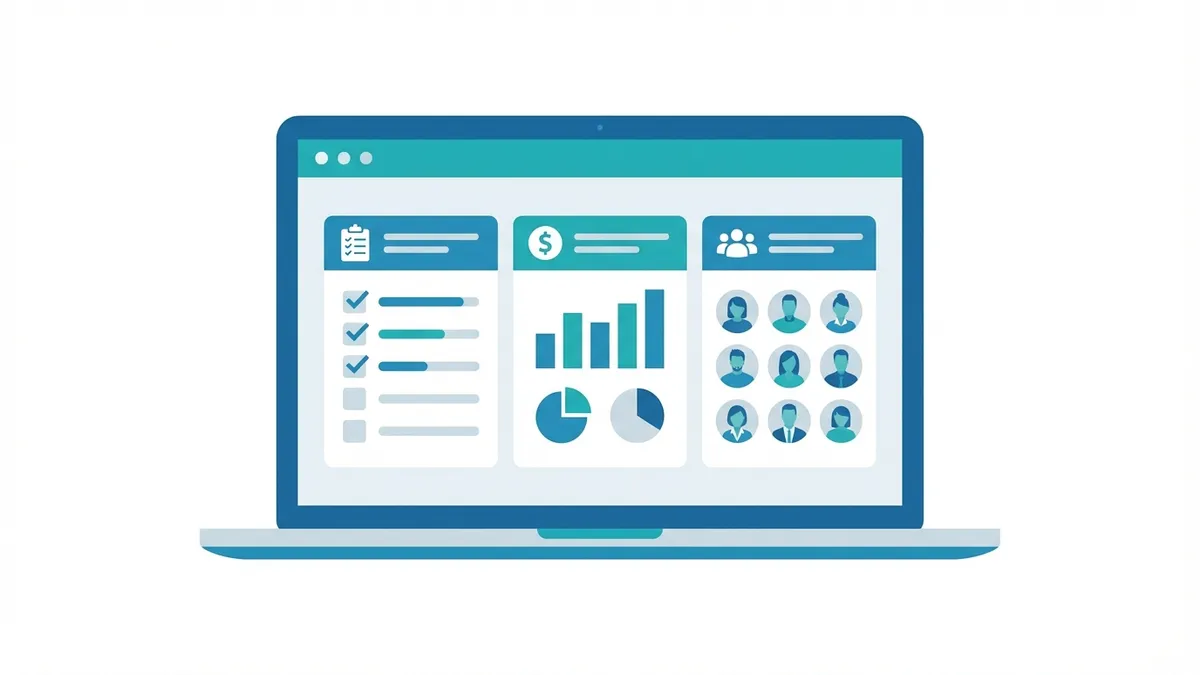
Most small business owners didn't hire their first employee planning to become amateur HR managers. But the moment you bring someone on — even part-time — you inherit a stack of obligations: payroll taxes, I-9 verification, benefits enrollment, PTO tracking, and employment records that need to be maintained for years.
The right HR software turns this from a recurring anxiety into a near-automated system. Payroll runs in minutes. Onboarding is a self-guided checklist. PTO requests are approved from a phone notification. Tax filings happen automatically in the background.
This guide cuts through the noise and compares the best HR software for small businesses in 2026 — with real pricing, honest pros and cons, and a clear recommendation for each business type.
Table of Contents
- Why HR Software Matters for Small Businesses
- Key Features to Look For
- Best HR Software for Small Business
- Side-by-Side Comparison
- Pricing Breakdown
- How to Choose the Right HR Software
- Common HR Mistakes Small Businesses Make
- FAQ
Why HR Software Matters for Small Businesses
The Cost of Getting It Wrong
Payroll errors and compliance failures aren't abstract risks — they have dollar amounts attached.
Payroll tax penalties: The IRS can assess a Trust Fund Recovery Penalty of 100% of unpaid payroll taxes against responsible individuals personally. Late deposits alone trigger penalties from 2% to 15% of the unpaid amount. HR software with automated tax filing eliminates most of this risk.
Misclassification liability: Classifying workers as contractors when they should be employees is one of the most common and expensive small business mistakes. Back taxes, penalties, and interest can reach years of liability. HR software doesn't make this decision for you, but proper employee records make audits survivable.
FLSA violations: The Fair Labor Standards Act governs minimum wage, overtime, and record-keeping requirements. Failing to pay overtime correctly (time-and-a-half for hours over 40/week for non-exempt employees) generates back-pay liability plus penalties. Accurate time tracking in HR software creates an auditable record.
I-9 penalties: Every employer must complete an I-9 for every new hire within 3 days of start date. Paperwork violations run $281–$2,789 per form; knowingly employing unauthorized workers triggers much higher penalties. Most HR platforms have built-in digital I-9 completion.
State-specific requirements: State laws add to federal requirements — some states mandate paid sick leave accrual, specific final paycheck timing, or harassment training. HR software from national providers typically tracks these requirements by state and flags when action is needed.
Time Cost
A business owner running payroll manually for 10 employees spends 2–5 hours every pay period — plus additional hours on quarterly tax filings, year-end W-2s, and ad-hoc HR requests. HR software reduces this to 30–60 minutes of review and approval per payroll run, with quarterly and annual filings handled automatically.
At a conservative value of $75/hour for owner time, that's $1,500–$3,750 per year saved on payroll administration alone — often more than the annual cost of the software.
Employee Experience
Employees expect self-service tools. They want to view their pay stubs, update their direct deposit, request PTO, and access their benefits without emailing HR. HR software provides an employee self-service portal that reduces administrative back-and-forth while giving employees a more professional experience.
Key Features to Look For
Must-Have Features
Payroll processing: Automated wage calculation, tax withholding, direct deposit, and payroll tax filing. Look for a platform that handles federal, state, and local taxes — and guarantees accuracy with error protection.
Employee records management: A centralized database for employment agreements, contact information, emergency contacts, certifications, and employment history. Should be accessible to authorized managers and the employee themselves.
Onboarding workflows: Digital I-9 and W-4 completion, direct deposit setup, benefits enrollment, employee handbook acknowledgment, and new hire reporting to state agencies. Good onboarding software lets a new hire complete everything before their first day.
Time tracking and PTO management: Employees clock in and out (via app, web, or kiosk), PTO requests are submitted and approved digitally, balances accrue automatically based on your policy. Integrates directly into payroll so approved hours flow through without manual data entry.
Compliance management: Automated tax filings (941, 940, W-2, 1099), new hire reporting, ACA tracking for applicable large employers, and state-specific compliance alerts.
Benefits administration: Health, dental, vision, and 401(k) enrollment and management. The best platforms let employees shop and enroll in plans directly, with elections flowing automatically to carriers.
Nice-to-Have Features
- Applicant tracking system (ATS): Post jobs, track candidates, and manage the hiring pipeline — integrated with employee onboarding once someone is hired
- Performance management: Goal setting, 360° feedback, performance review cycles, and development plans
- Learning management system (LMS): Assign training courses, track completion, and maintain compliance training records
- HR analytics and reporting: Headcount trends, turnover rate, compensation equity analysis, and workforce demographics
- Expense management: Employee expense submission, approval workflows, and reimbursement through payroll
- IT management integration: For remote teams, platforms like Rippling combine HR with device provisioning and app access management
Red Flags to Watch For
- No automated tax filing: Platforms that generate tax forms but require you to file them manually miss the point of automation
- Per-feature pricing that adds up: Some platforms advertise low base prices but charge separately for time tracking, onboarding, and compliance tools
- Poor customer support: When payroll goes wrong (and eventually it will), you need responsive help — check support hours, response times, and whether phone support is included
- No mobile app: Managers approve time cards and PTO from their phones; employees need access to pay stubs on mobile
- Integration gaps: If your accounting software doesn't sync with your HR platform, you're manually transferring payroll data — a recipe for errors
Best HR Software for Small Business
1. Gusto — Best Overall for Small Business
Starting price: $49/month base + $6/employee/month (Simple plan)
Gusto built its reputation as the payroll platform that non-payroll people can actually use — and it's earned it. In 2026, Gusto remains the default recommendation for small businesses under 100 employees that want an integrated payroll and HR platform without dedicated HR staff to manage it.
What Gusto does well:
Payroll simplicity: Gusto's payroll flow takes most experienced users under 10 minutes. Bank accounts are pre-connected, tax liabilities are calculated automatically, and the review screen clearly shows what's being paid and why. For a business owner running biweekly payroll, this is the difference between a chore and a non-event.
Automated tax compliance: Gusto files federal, state, and local payroll taxes automatically — including quarterly 941s, annual 940s, and year-end W-2s and 1099s. If Gusto makes a tax error, they cover the penalty. This guarantee matters.
Full-service onboarding: New hires complete their onboarding checklist online before their first day — W-4, I-9, direct deposit authorization, benefits elections, and company policy acknowledgments. Gusto automatically reports new hires to the state.
Benefits administration: Gusto partners with health insurance brokers to offer medical, dental, and vision plans directly in the platform. For businesses in states where Gusto's broker network operates, this is genuinely valuable — employees shop and enroll in the same interface where they see their pay stubs. 401(k) through Guideline integrates natively.
Contractor management: Gusto's Contractor-Only plan has no monthly base fee — you pay $6/contractor/month for payroll and 1099 filing. Ideal for businesses that work primarily with contractors.
Time tracking: Built-in time tracking with geofencing (for location-based businesses), project tracking, and direct integration into payroll. Employees use the Gusto app to clock in and out.
Where Gusto falls short:
Performance management and HR analytics are limited on lower-tier plans. If you need structured performance reviews, goal tracking, and workforce analytics, Gusto's tools are basic compared to BambooHR or Rippling.
The Simple plan doesn't include next-day direct deposit — payments process on the standard schedule. For small businesses with cash flow timing sensitivity, this occasionally matters.
International payroll is not Gusto's strength. For businesses with employees outside the US, Rippling or Deel are better options.
Gusto plan tiers:
- Simple — $49 + $6/employee: Full payroll, benefits, onboarding, time tools
- Plus — $80 + $12/employee: + HR advisory, performance tools, next-day deposit
- Premium — Custom (50+): + Dedicated support, HR resource center
- Contractor Only — $0 + $6/contractor: Contractor payroll and 1099 filing
Best for: Small businesses under 100 employees that want full-service payroll + benefits + HR in one platform, especially those without dedicated HR staff.
2. BambooHR — Best for Employee Experience and HR-Focused Teams
Starting price: ~$8–$16/employee/month (custom quote, no public pricing)
BambooHR is built around the employee lifecycle — from recruiting through offboarding — with a user experience that employees actually like using. If your priority is performance management, employee engagement, and structured HR processes (rather than payroll as the starting point), BambooHR is the most capable HR suite at the small-to-mid-market level.
What BambooHR does well:
Employee self-service: BambooHR's employee portal is the best in class at the small business level. Employees update their own information, request time off, view their performance history, complete training, and access company documents — reducing HR administrative burden significantly.
Applicant Tracking: Built-in ATS lets you post jobs to major boards (Indeed, LinkedIn, Glassdoor), track candidates through hiring stages, and convert offers directly into employee onboarding records. The pipeline view is intuitive and speeds up hiring decisions.
Performance management: BambooHR's performance tools include goal tracking, regular check-ins, 360° feedback, and annual review cycles. For businesses trying to create a culture of feedback and development, these tools are substantially more capable than what Gusto or Paychex offer.
Onboarding experience: New hire onboarding in BambooHR is genuinely well-designed — customizable checklists, welcome messages, buddy assignments, and first-week orientation tasks that can be tailored by role or department.
Offboarding: Most HR platforms treat offboarding as an afterthought. BambooHR includes structured offboarding workflows — equipment return checklists, benefits termination, exit interviews, and COBRA notification tracking.
HR analytics: BambooHR's reporting module generates turnover rate, time-to-hire, headcount by department, and compensation equity analysis — dashboards that most small businesses don't realize they need until they reach 30–50 employees.
Where BambooHR falls short:
BambooHR does not run payroll natively. You need a separate payroll provider (Gusto, QuickBooks Payroll, ADP, or Paylocity) and integrate it with BambooHR. For businesses that want a single platform, this is a meaningful limitation.
Pricing is not transparent — BambooHR requires a custom quote. Based on market reports, expect $8–$16/employee/month depending on plan tier (Core or Pro) and company size.
BambooHR plans:
- Core — Employee records, onboarding, time off, basic reporting
- Pro — + Performance management, ATS, eNPS surveys, advanced reporting
Best for: Businesses of 20–500 employees that prioritize HR processes, employee experience, and performance management over payroll-first simplicity.
3. Rippling — Best for Scaling Businesses and Remote Teams
Starting price: $8/employee/month (workforce management base) + modules
Rippling is the HR platform built for how modern businesses actually operate — distributed teams, SaaS-heavy workflows, and the need to onboard (and offboard) employees across multiple systems simultaneously. When a new employee joins a Rippling-powered company, their laptop is shipped, their email is created, their Slack and Notion and Salesforce access is provisioned, their payroll is set up, and their benefits are enrolled — from a single workflow.
What Rippling does well:
Unified employee record: Rippling stores the canonical employee record and uses it to drive every other system. Change an employee's title or department, and their org chart, payroll, and app permissions update automatically.
IT + HR integration: Rippling's IT module manages device provisioning (laptops, phones), app provisioning (SSO across 500+ apps), and security compliance — integrated with employee lifecycle events. When an employee is terminated, their laptop is remotely locked and all app access is revoked in one workflow.
Global payroll: Rippling runs payroll in 50+ countries, handling local tax compliance, currency conversion, and employment contracts. For businesses with international team members, Rippling is one of the strongest platforms available.
Modularity: Rippling lets you buy only what you need. The base Workforce Management module covers core HR. Add payroll, benefits, time tracking, learning management, or IT management as separate modules.
Automation: Rippling's workflow builder lets you create complex automation rules — if an employee's 90-day anniversary occurs, trigger a performance review. If someone moves from contractor to employee, convert their record and enroll them in benefits automatically.
Where Rippling falls short:
Rippling is more complex than Gusto or BambooHR. Setup takes longer and the learning curve is steeper. For a 5-person business where simplicity matters more than sophistication, Gusto is a better fit.
Pricing is modular and can be confusing. The base $8/employee/month gets you core HR; adding payroll, benefits, IT, and LMS modules can push total cost to $20–$35/employee/month.
Rippling module pricing:
- Workforce Management (base) — $8/employee/month
- Payroll — +$8/employee/month
- Benefits — +$6/employee/month
- Time & Attendance — +$5/employee/month
- IT (Inventory/App management) — +$8/employee/month
- Learning Management — +$5/employee/month
Best for: Scaling businesses (30–500 employees), distributed/remote teams, companies with international employees, and organizations where IT and HR need to work together.
4. Paychex Flex — Best for Businesses That Want Full-Service Payroll Support
Starting price: Custom (typically $59–$150+/month base + per-employee fee)
Paychex has been running small business payroll since 1971, and their modern cloud platform — Paychex Flex — reflects decades of experience with compliance complexity.
What Paychex does well:
Compliance depth: Paychex employs an extensive team of compliance experts who track federal and state regulatory changes. For businesses in heavily regulated industries (healthcare, construction, financial services), Paychex's compliance team is a meaningful asset.
Dedicated support: Paychex offers dedicated payroll specialists — a named person who knows your account and can be reached by phone. For business owners who prefer talking to a human over a chatbot, this is a significant differentiator.
Workers' compensation integration: Paychex integrates workers' comp coverage directly with payroll — premiums are calculated per pay period based on actual wages paid, rather than estimated upfront and reconciled annually. This "pay-as-you-go" model improves cash flow and eliminates year-end surprise adjustments.
Retirement plan administration: Paychex offers small business 401(k) plans administered directly through the platform, with plan design, employee enrollment, and contribution processing integrated into payroll.
HR advisory services: Higher-tier plans include access to HR professionals who can provide guidance on policies, compliance questions, and employment situations.
Where Paychex falls short:
Pricing is not transparent. Getting a quote requires a sales conversation. Based on market reports, small businesses typically pay $59–$200+/month depending on configuration — often more expensive than Gusto for comparable features. The interface is functional but less polished than Gusto or Rippling.
Best for: Established small businesses (10–200 employees) that want full-service payroll support with a dedicated account manager, businesses in regulated industries, and companies that want workers' comp and retirement bundled with payroll.
5. ADP Run — Best for Businesses That Plan to Scale Significantly
Starting price: Custom (typically $79–$151+/month base + per-employee fee)
ADP is the largest payroll and HR provider in the United States, processing payroll for more than 920,000 businesses. ADP Run is their small business platform, designed for companies with 1–49 employees.
What ADP Run does well:
Brand and compliance trust: ADP's size means resources — compliance updates, tax tables, and regulatory guidance are maintained by a large dedicated team.
Integration library: ADP connects with most major accounting platforms (QuickBooks, Xero, Wave), POS systems, and industry-specific software.
Scalability: ADP Run scales into ADP Workforce Now (mid-market) and ADP Vantage (enterprise) without changing providers. If you're planning to grow to 500+ employees, staying in the ADP ecosystem avoids a future platform migration.
Background checks: ADP includes direct integration with background check providers — initiated within the hiring workflow with results returned to the candidate's record.
Where ADP Run falls short:
ADP Run is more expensive than Gusto for comparable features, and the user experience is notably less intuitive. Customer support quality varies. For a 10-person small business that doesn't anticipate significant scaling, Gusto is a better value.
Best for: Small businesses planning significant growth (targeting 100+ employees within 2–3 years), companies that want to stay within one HR ecosystem as they scale.
6. TriNet HR Platform (formerly Zenefits) — Best for Benefits-First HR
Starting price: $10/employee/month (Essentials plan)
Zenefits, now rebranded as part of TriNet's HR platform, built its name on simplifying benefits administration for small businesses. The current platform is solid — particularly for businesses where benefits administration is the primary HR complexity.
What TriNet HR Platform does well:
Benefits administration: The platform's strongest feature remains benefits — employees can shop, compare, and enroll in health plans directly. ACA compliance tracking is automated, and the carrier integration for premium deductions is well-built.
Transparent pricing: Unlike Paychex and ADP, TriNet posts plan pricing — $10/employee/month (Essentials), $20 (Growth), or $33 (Zen) — making budget planning straightforward.
PTO management: Customizable PTO policies with automatic accrual calculation, manager approval workflows, and calendar integration.
Where TriNet HR Platform falls short:
Payroll is an add-on ($6/employee/month) rather than a native feature. The platform has less depth in performance management than BambooHR. Customer support has historically been inconsistent.
Best for: Small businesses for whom benefits administration is the primary HR challenge — particularly those offering health insurance for the first time.
Side-by-Side Comparison
- Gusto: Transparent pricing ✅ | Native payroll ✅ | Benefits ✅ | Strong onboarding ✅ | Basic performance ⚠️ | No ATS ❌ | No IT management ❌ | No global payroll ❌ | Best for businesses under 50 employees
- BambooHR: Custom pricing ❌ | No native payroll ❌ | Benefits via integrations ✅ | Strong onboarding ✅ | Strong performance ✅ | ATS ✅ | No IT management ❌ | No global payroll ❌ | Best for HR-focused teams 20–500
- Rippling: Partial pricing ⚠️ | Payroll module ✅ | Benefits module ✅ | Strong onboarding ✅ | Performance ✅ | ATS ✅ | IT management ✅ | Global payroll ✅ | Best for scaling/remote teams
- Paychex: Custom pricing ❌ | Native payroll ✅ | Benefits ✅ | Onboarding ✅ | Limited performance ⚠️ | Limited ATS ⚠️ | No IT management ❌ | Limited global ⚠️ | Best for service + dedicated support
- ADP Run: Custom pricing ❌ | Native payroll ✅ | Benefits ✅ | Onboarding ✅ | Limited performance ⚠️ | Limited ATS ⚠️ | No IT management ❌ | Limited global ⚠️ | Best for growth to enterprise
Pricing Breakdown
1–10 Employees
- Service business, basic payroll → Gusto Simple: ~$109/mo (10 employees)
- Contractors only → Gusto Contractor: ~$60/mo (10 contractors)
- Benefits-first → TriNet Essentials + payroll: ~$160/mo (10 employees)
- Budget-conscious → Homebase (basic HR, free time tracking): $0–$20/mo
11–50 Employees
- Full-service payroll + HR → Gusto Plus: ~$680/mo (25 employees)
- Performance management priority → BambooHR Pro: ~$300–$500/mo (25 employees)
- Remote/distributed team → Rippling + Payroll: ~$400–$600/mo (25 employees)
- Want dedicated support → Paychex Flex: ~$300–$700/mo (25 employees)
51–200 Employees
- Growth stage, full HR suite → Rippling (all modules): ~$1,500–$3,000/mo (100 employees)
- Compliance-heavy industry → Paychex or ADP Run: Custom quote
- Scaling with hiring volume → BambooHR + Gusto: Combined $1,000–$2,000/mo
How to Choose the Right HR Software
Choose Gusto if:
- You have fewer than 100 employees and no dedicated HR staff
- You want payroll + benefits + HR in one platform without complexity
- You're offering benefits for the first time and want a guided experience
- You primarily employ W-2 workers in the US (with some contractors)
- Budget is a concern and you want transparent pricing
Choose BambooHR if:
- You have a dedicated HR person or people-ops lead
- Employee experience, performance management, and structured HR processes are priorities
- You're building a culture-driven organization and want tools to support it
- You already have a payroll provider you're happy with
- You have 25–500 employees and plan to grow
Choose Rippling if:
- You have remote or distributed employees (including internationally)
- IT and HR management need to work together (device provisioning, app access)
- You're scaling fast and expect to add new tools frequently
- Automation of complex workflows is a priority
- You want one platform to replace HR + IT tools
Choose Paychex if:
- You want a dedicated payroll specialist you can call by name
- You're in a regulated industry with complex compliance requirements
- You want workers' comp and retirement bundled with payroll
- You prefer a service relationship over a software-first experience
Choose ADP Run if:
- You plan to scale to 200+ employees in the next 3–5 years
- You want to avoid a platform migration as you grow
- Your accountant, broker, or PEO already uses ADP
- Enterprise-grade name recognition matters to you
Common HR Mistakes Small Businesses Make
Treating Employees as Contractors
Misclassifying employees as independent contractors is among the most expensive mistakes a small business can make. If a worker is economically dependent on your business, works set hours, uses your tools, and doesn't have genuine independence, the IRS and state agencies will likely view them as employees — regardless of what your contract says. Back payroll taxes, penalties, and interest can reach years of liability. HR software doesn't make this determination for you, but establishing proper employment records and using correct tax forms protects you when you classify correctly.
Skipping the Employee Handbook
Many small businesses operate without a written employee handbook — and create liability with every undocumented decision. When you terminate someone without documented policies, or pay overtime inconsistently, or handle PTO informally, you're exposed. Most HR platforms include template employee handbooks you can customize and have employees acknowledge electronically. This takes a few hours upfront and pays for itself the first time you face a dispute.
Ignoring State-Specific Leave Laws
Federal law sets a baseline, but state laws often go further — and sometimes much further. California requires up to 5 days of bereavement leave for all employers. New York mandates paid prenatal care leave. Illinois requires paid leave for any reason. Colorado, Washington, Massachusetts, and others have state-funded paid family and medical leave programs with specific employer obligations. HR software from national providers tracks these requirements by employee location and flags when action is required.
Letting Onboarding Be Informal
Informal onboarding — "just figure it out" — is one of the leading causes of early employee turnover. Employees who experience structured onboarding (clear role expectations, introductions to team processes, 30/60/90-day check-ins) are significantly more likely to stay past one year. Most HR platforms include onboarding checklist tools that take 2 hours to set up and meaningfully improve new hire retention.
Not Tracking Time for Non-Exempt Employees
If you have hourly or non-exempt employees, you are legally required to accurately track their hours worked and compensate overtime correctly. "I trust them to report it accurately on a spreadsheet" is not a defensible answer to a Department of Labor audit. HR software with built-in time tracking — especially with geofencing or biometric clock-in for location-based businesses — creates an accurate, tamper-evident record.
Storing HR Documents in Email
Employment agreements, I-9s, performance reviews, and disciplinary records stored in email chains are one computer crash (or employee departure) from disappearing. HR software provides a centralized, secured document management system — accessible to authorized managers, stored with audit trails, and backed up automatically. This matters when you need records in a dispute.
The Bottom Line
For most small businesses under 50 employees, Gusto is the right starting point. It's not the most powerful HR platform available, but it's the most accessible one — full payroll, benefits, onboarding, and time tracking in a single platform that non-HR professionals can operate without a manual. The pricing is transparent, setup is fast, and the automated tax compliance is worth the subscription cost on its own.
If your business has grown to the point where employee experience, performance management, and structured HR processes are business-critical, BambooHR is the upgrade to consider — pair it with Gusto for payroll and you have a strong combined stack.
If you're building a distributed team, managing IT assets alongside people, or scaling internationally, Rippling is worth the investment and complexity.
The worst outcome isn't choosing the wrong platform — it's running your HR on spreadsheets and email past the point where it's workable. The first serious compliance issue or employment dispute will cost far more than years of HR software subscriptions.
Choose a platform. Set it up. Run clean.
Frequently asked questions
What is the best HR software for a small business under 10 employees?
Gusto is the top pick for businesses under 10 employees. It combines payroll, benefits administration, onboarding, and basic HR tools in one platform starting at $49/month + $6/employee. The interface is clean, setup is fast, and most small business owners can run it without dedicated HR staff.
Do I need HR software if I only have a few employees?
Yes — even with 2–5 employees, HR software saves you time and reduces compliance risk. You need to properly onboard employees (W-4s, I-9s, direct deposit), run payroll correctly, track PTO, and maintain employment records. Doing this manually on spreadsheets is error-prone and time-consuming. Most platforms cost less per month than one hour of your time.
What's the difference between HR software and payroll software?
Payroll software focuses on calculating wages, withholding taxes, and paying employees. HR software is broader — it adds employee records, onboarding, benefits administration, performance reviews, time tracking, and compliance tools. Many modern platforms (Gusto, Rippling, Paychex) combine both. For most small businesses, an all-in-one platform is simpler and cheaper than separate tools.
How much does HR software cost for small businesses?
Most HR platforms charge a monthly base fee plus a per-employee fee. Expect $40–$100/month base + $6–$20/employee/month for full-featured platforms. A 10-person business typically pays $100–$250/month. Some platforms like BambooHR charge a flat per-employee rate ($8–$16/employee/month with no base fee). Gusto's Contractor-Only plan is free, with a $6/contractor/month fee.
Is Gusto or BambooHR better for small business?
Gusto is better for businesses that need payroll as the core function — it's an excellent payroll platform with HR features layered on top. BambooHR is better for businesses that prioritize the HR side: employee experience, performance management, applicant tracking, and HR analytics. If you need payroll + benefits + HR in one and you're under 50 employees, Gusto is usually the simpler choice. BambooHR integrates with separate payroll providers.
Can HR software handle benefits administration for small businesses?
Yes — Gusto, Rippling, and Paychex all offer benefits administration including health, dental, vision, 401(k), and commuter benefits. Gusto's broker integration lets you shop plans and enroll employees directly in the platform. For small businesses under 50 employees, these platforms make benefits administration manageable without a dedicated HR team.
What HR software do startups typically use?
Early-stage startups (1–20 employees) typically use Gusto for its simplicity and pricing. As startups scale to 50–200 employees, many migrate to Rippling, which handles HR, IT, payroll, and device management in one platform — particularly valuable for distributed teams. BambooHR is popular with people-ops-focused startups that prioritize employee experience.