CRM Data Hygiene for Small Businesses: A Practical Cleanup Workflow
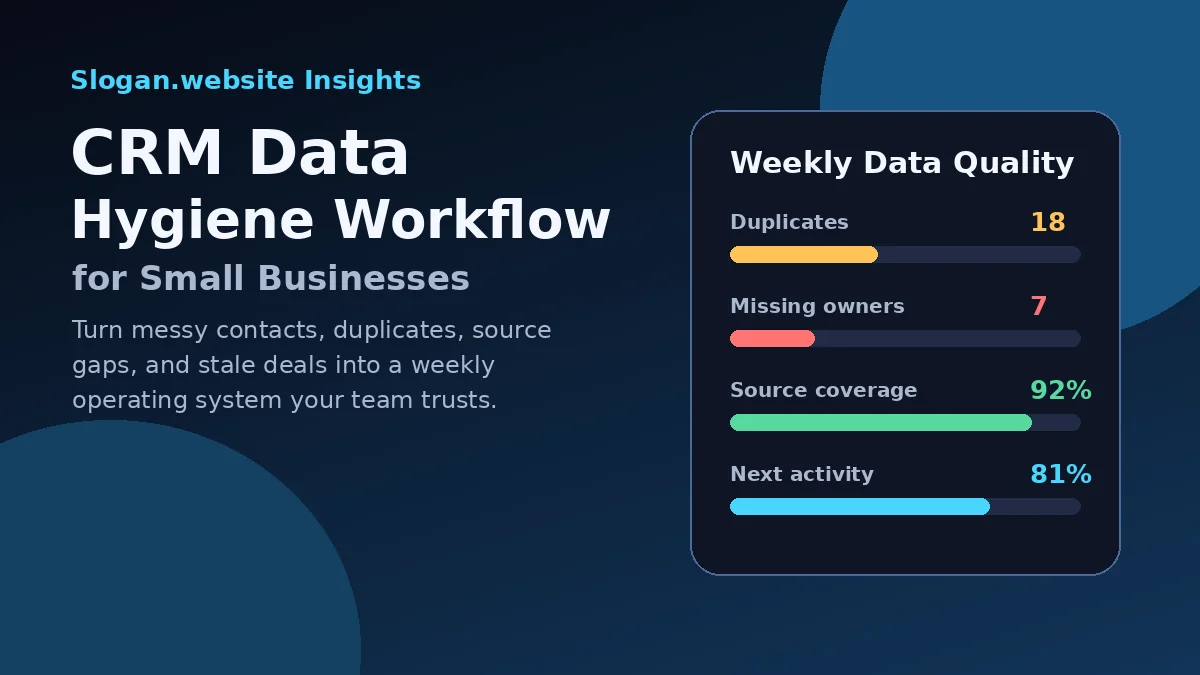
CRM data hygiene is not a housekeeping project. For a small business, it is the difference between trusting the CRM and quietly returning to sticky notes, spreadsheets, inbox searches, and memory.
A CRM with duplicate contacts, missing owners, inconsistent lead sources, stale deals, and imported lists nobody understands can make sales and marketing look worse than they are. The fix is not a giant data migration project. It is a simple operating system: define the few fields that matter, prevent obvious duplicates, clean records on a schedule, and review data quality like any other sales metric.
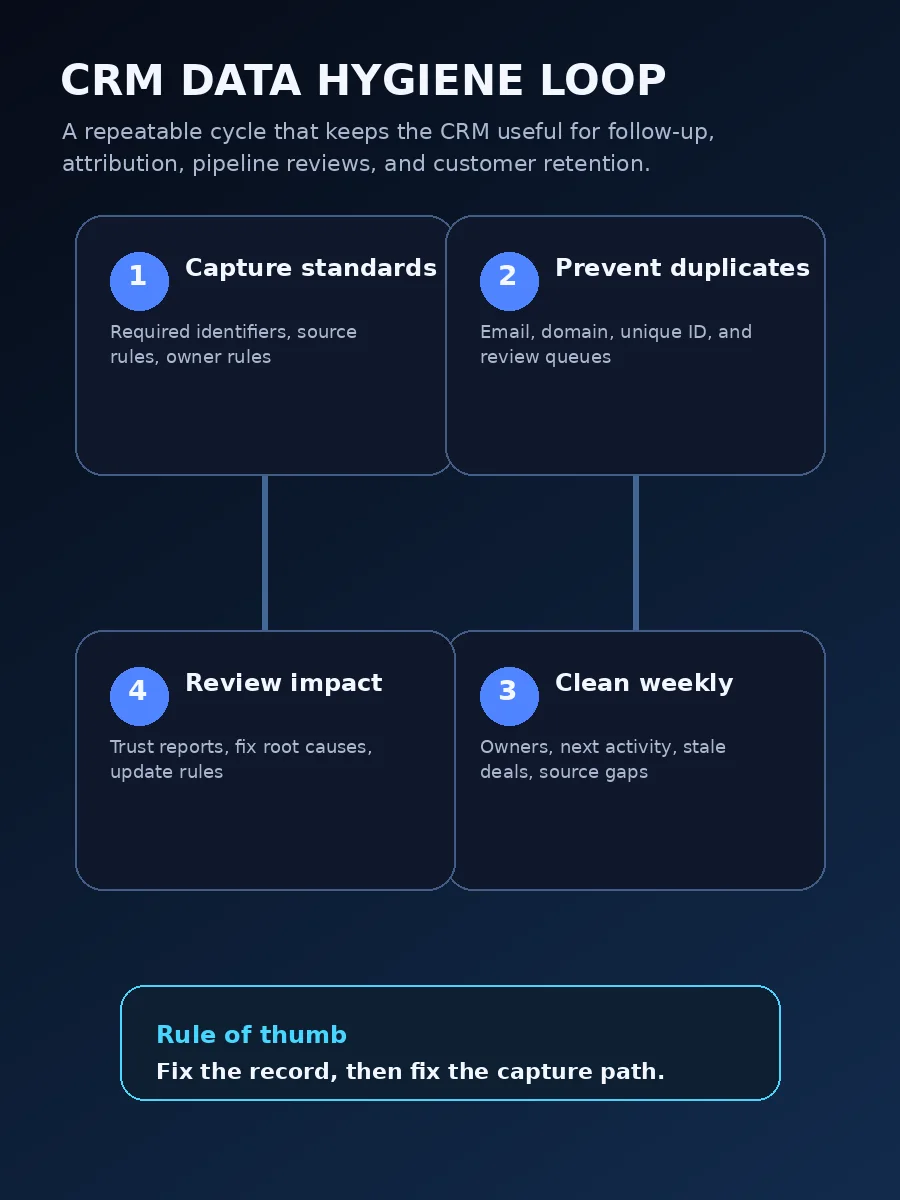
Start with the decisions the CRM must support
Clean data is not the goal by itself. Better decisions are the goal.
Before changing fields or running a cleanup, choose the operating questions the CRM should answer every week:
- Which new leads need a response today?
- Which contacts are ready for sales follow-up?
- Which opportunities have no next activity?
- Which campaigns are creating qualified leads?
- Which customers should be reactivated, renewed, or upsold?
- Which records are unsafe to contact because consent or preference data is missing?
That focus keeps the cleanup practical. A field is worth collecting if it changes routing, follow-up, segmentation, reporting, customer service, compliance, or revenue planning. If the team never uses a field, cleaning it may not deserve priority.
Define a minimum clean record
Most small businesses do not need hundreds of perfect fields. They need a minimum clean record that is good enough for follow-up, attribution, segmentation, and reporting.
Use a short standard like this:
| Field group | Minimum standard | Why it matters |
|---|---|---|
| Identity | Name, email or phone, company or account when relevant | Prevents scattered records and makes duplicate matching easier |
| Source | Original source, latest source, campaign, form or intake path | Connects marketing activity to leads, opportunities, and customers |
| Status | Lead status, lifecycle stage, deal stage, or customer status | Shows where the relationship stands and what should happen next |
| Ownership | Record owner, team, territory, or queue | Protects follow-up from becoming nobody's responsibility |
| Next action | Next activity date, follow-up task, renewal date, or review date | Turns the CRM into an action system instead of a database |
| Permission | Consent, opt-out status, do-not-contact reason, or communication preference | Reduces risky outreach and keeps campaigns aligned with customer expectations |
HubSpot's data quality documentation frames data quality tools around issues such as duplicates, formatting problems, property insights, and recommended actions (HubSpot Knowledge Base). That is the right small-business mindset: inspect the data that affects operations, then fix the issues that create real friction.
Standardize source and status fields before cleaning imports
The fastest way to create CRM chaos is to import old lists before deciding how records should be named.
Source fields should be controlled enough that reports do not split the same channel into many values. For example, Google Ads, google ads, paid search, ppc, and cpc may all describe similar demand, but they will create separate rows unless the team chooses a naming system.
Status fields need the same discipline. A lead can be new, attempted contact, connected, qualified, unqualified, nurture, or customer. A deal can be discovery scheduled, proposal sent, negotiation, closed won, or closed lost. Those concepts should not be mixed into one overloaded field.
A practical rule is simple: source explains where the record came from; status explains what should happen next.
Prevent duplicates at the point of capture
Duplicate cleanup is harder than duplicate prevention. Every form, import, integration, and manual entry path should have an identifier strategy.
HubSpot explains that contacts are automatically deduplicated by email address and companies by company domain name, while imports can also use record IDs or custom unique-value properties when appropriate (HubSpot Knowledge Base). Salesforce describes duplicate management as a way to identify, prevent, manage, merge, and track duplicate records using tools such as matching rules, duplicate rules, duplicate jobs, duplicate sets, and reports (Salesforce Help).
A small business does not need to copy enterprise governance, but it should decide three things:
- Which field identifies a person?
- Which field identifies a company or account?
- What should happen when a possible duplicate appears?
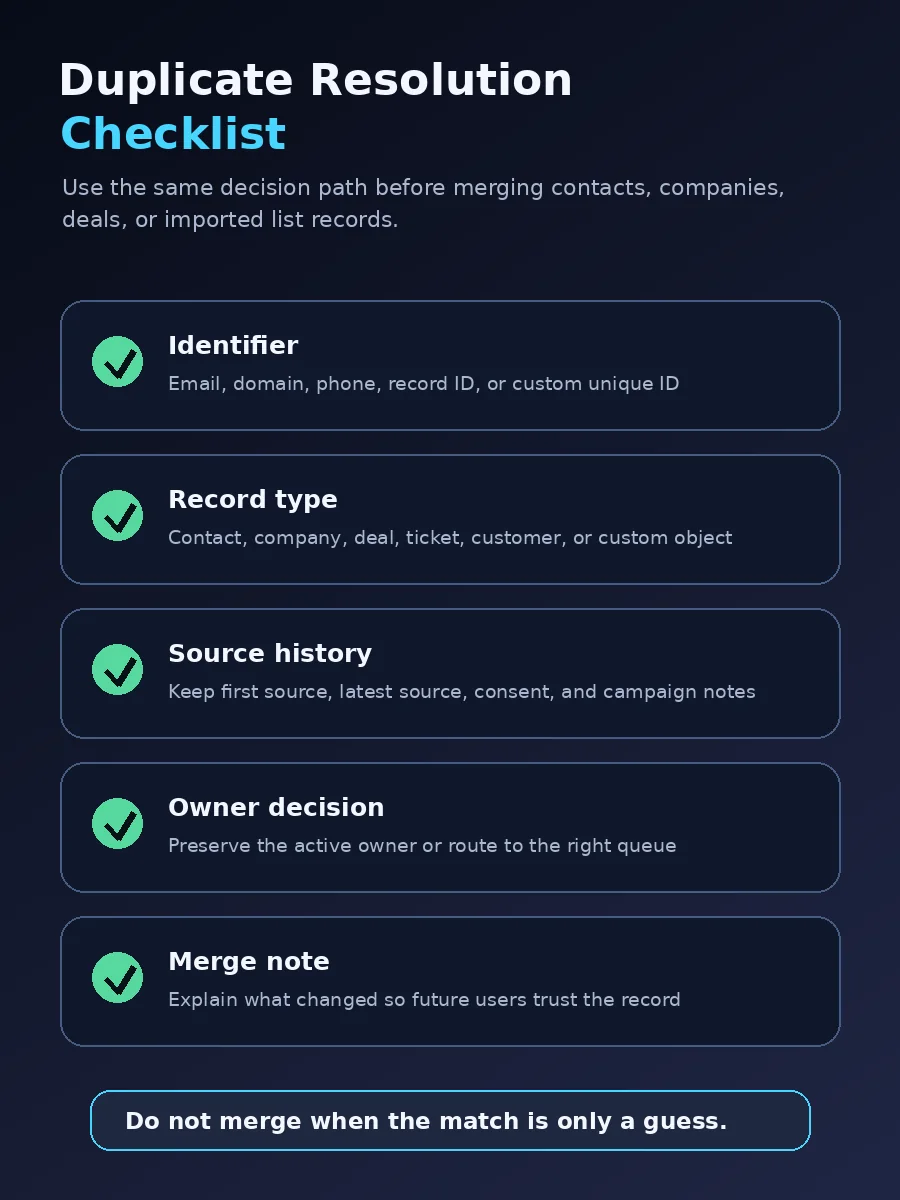
A starter duplicate policy can look like this:
| Duplicate situation | Likely identifier | Cleanup rule |
|---|---|---|
| Same person, same email | Email address | Merge records, keep the most complete profile, preserve important source and consent history |
| Same company, different contacts | Company domain, account name, billing address | Keep separate contacts but associate them with one company or account |
| Same person, different email | Name plus phone, company, or known relationship | Review manually before merging because personal and work identities may be different |
| Duplicate deal or opportunity | Account, service interest, close date, deal value, owner | Keep the real active opportunity and close or merge the duplicate with a note |
| Imported old list record | Email, record ID, or custom unique ID | Match before creating new records; quarantine rows with missing identifiers |
Decide when to warn, block, or allow
Not every possible duplicate should be handled the same way.
Salesforce's duplicate rules documentation defines a duplicate rule as what happens when a user views a record with duplicates or starts creating a duplicate record, with matching rules defining how duplicate records are identified (Salesforce Help). For a small business, the same logic can be translated into three practical behaviors:
| Behavior | Use when | Small-business example |
|---|---|---|
| Block | The identifier is strong and a duplicate would clearly hurt operations | Do not create a second contact with the same email from a manual entry form |
| Warn | The match is likely but not certain | Show possible duplicates when name and phone match but email differs |
| Allow with review | The business context may justify separate records | Let two contacts share a family email or office phone, but route them to a cleanup queue |
Blocking too aggressively can frustrate staff and hide valid relationships. Warning too softly can let duplicates spread. Start with the obvious cases, then tighten rules after reviewing real records.
Create field ownership rules
Dirty CRM data often happens because nobody owns the field.
If marketing owns original source, sales owns lead status, operations owns customer status, and finance owns billing status, those responsibilities should be written down. Otherwise, every person edits fields based on their own interpretation.
A lightweight field ownership model can include:
- Source fields: locked after capture except for approved corrections.
- Lead status: updated by the person responsible for follow-up.
- Deal stage: updated by the opportunity owner after a real sales action occurs.
- Lifecycle or customer status: updated by the CRM owner, automation, or a defined handoff.
- Communication preferences: updated only from opt-out events, consent forms, or approved manual changes.
- Lost reason: required before a deal is marked closed lost.
This does not need to become bureaucracy. It just prevents silent edits that make reports unreliable.
Build a weekly data quality dashboard
A small business should not wait for a massive quarterly cleanup. Data quality should have a visible weekly scorecard.
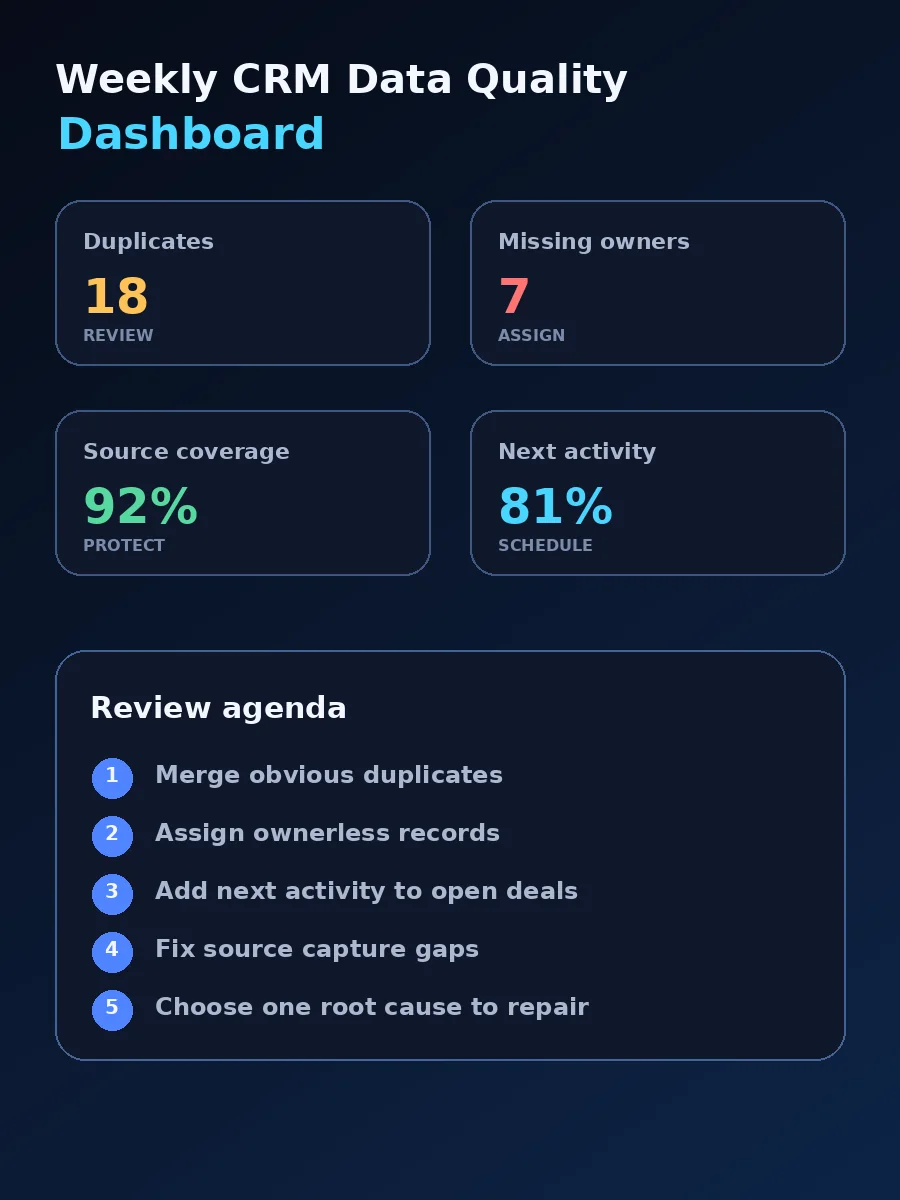
Track a few metrics that change behavior:
| Metric | What it reveals | Target habit |
|---|---|---|
| Possible duplicate records | Whether forms, imports, or manual entry are creating repeated contacts or companies | Review weekly and fix the capture path that caused the duplicate |
| Records missing owner | Whether leads and deals have clear accountability | Assign before the next sales review |
| Open deals with no next activity | Whether pipeline follow-up depends on memory | Create a task, close the deal, or move it to nurture |
| Leads missing original source | Whether marketing attribution will be usable later | Fix form mappings, UTM capture, or import templates |
| Old unworked leads | Whether inquiries are aging without action | Call, email, route, disqualify, or archive |
The dashboard should be boring enough to maintain. If it takes more time to update the dashboard than to clean the records, the system is too heavy.
Clean in batches, not random clicks
Random cleanup feels productive but rarely fixes the system. Work in batches tied to root causes.
Good cleanup batches include:
- contacts created by one problematic form;
- companies imported without domains;
- leads from a campaign with missing UTM values;
- deals created without next activity dates;
- old opportunities still sitting in active stages;
- duplicate accounts created by an integration;
- contacts without consent or communication preference data.
For each batch, fix three things: the existing records, the process that created the issue, and the report that will alert you if it happens again.
Be careful with imports and integrations
Imports can improve the CRM quickly, but they can also create months of cleanup.
Before importing any list, run this checklist:
- Remove rows without an identifier such as email, record ID, domain, or unique customer ID.
- Normalize source, medium, status, and owner values before upload.
- Decide whether blank cells should overwrite existing values or leave them unchanged.
- Test with a small sample before importing the full file.
- Export a backup before a major update.
- Review duplicate warnings and import errors instead of ignoring them.
- Tag the import with a batch name so problems can be traced later.
Integrations need the same care. If a booking tool, ecommerce platform, ad platform, or form plugin creates records automatically, test what happens when an existing customer converts again. The right behavior may be updating the existing record, creating a new deal, creating a task, or adding an activity. It is rarely useful to create another disconnected contact.
Protect reporting fields from casual edits
Some fields become unreliable because too many people can change them.
Original source, first conversion, campaign, and consent history are examples. Sales reps may need to correct obvious mistakes, but they should not overwrite source data just because a customer mentions a different channel on a call. If updates are necessary, use a correction field or note so the original capture is still available.
The same applies to deal stages. A stage should change because a defined sales event happened, not because the owner is optimistic. That is why CRM data hygiene connects directly to pipeline discipline.
Use automation carefully
Automation can keep records clean, but it can also make errors faster.
Useful first automations include:
- assign an owner when a qualified lead enters from a form;
- create a task when a new inquiry has no follow-up within one business day;
- require a lost reason before closing a deal;
- alert the CRM owner when a duplicate threshold is reached;
- normalize predictable source values such as
fbtofacebook; - move inactive low-fit leads to a nurture or archive status.
Avoid automation that overwrites important fields without a review path. A small mistake in one workflow can damage hundreds of records.
A practical 30-day rollout
Use the first month to build the habit rather than chasing perfect data.
Week 1: Define the minimum clean record. Choose the identity, source, status, owner, next action, and communication fields that matter. Remove or hide fields nobody uses.
Week 2: Fix duplicate prevention. Review form, import, and integration paths. Decide which identifiers are used for contacts, companies, deals, and customers. Add warnings or manual review steps where needed.
Week 3: Clean high-impact batches. Start with records that affect follow-up and reporting: missing owners, duplicate contacts, open deals with no next activity, and leads missing source.
Week 4: Launch the weekly scorecard. Review the dashboard with sales and marketing. Pick one root cause to fix each week instead of endlessly polishing old records.
The bottom line
CRM data hygiene should make the team faster, not more administrative. A small business can start with a minimum clean record, clear duplicate rules, disciplined source and status fields, and a weekly dashboard that exposes the issues hurting follow-up.
Clean enough is not perfect. Clean enough means the CRM is trusted enough to drive the next call, the next campaign decision, and the next pipeline review. When organic or AI-answer pages feed those leads, audit them with the GEO visibility checklist so attribution data maps to citation-ready landing pages.
Frequently asked questions
What is CRM data hygiene for a small business?
CRM data hygiene is the operating habit of keeping customer, lead, company, deal, source, and follow-up records accurate enough for sales and marketing decisions. It includes duplicate prevention, field standards, import rules, source governance, and recurring cleanup reviews.
How often should a small business clean CRM data?
Most small businesses should do a light weekly review for duplicates, missing owners, stale deals, and source issues, then schedule a deeper monthly cleanup for imports, old lists, automation errors, and field governance.
Which CRM fields matter most for data quality?
Start with email, phone, company or account, lead source, lifecycle or lead status, deal stage, owner, next activity date, consent or communication preference, and the last meaningful interaction. Add industry, service interest, budget, or territory only when the team uses them in real decisions.