CRM Pipeline Stages for Small Businesses: A Practical Sales Workflow
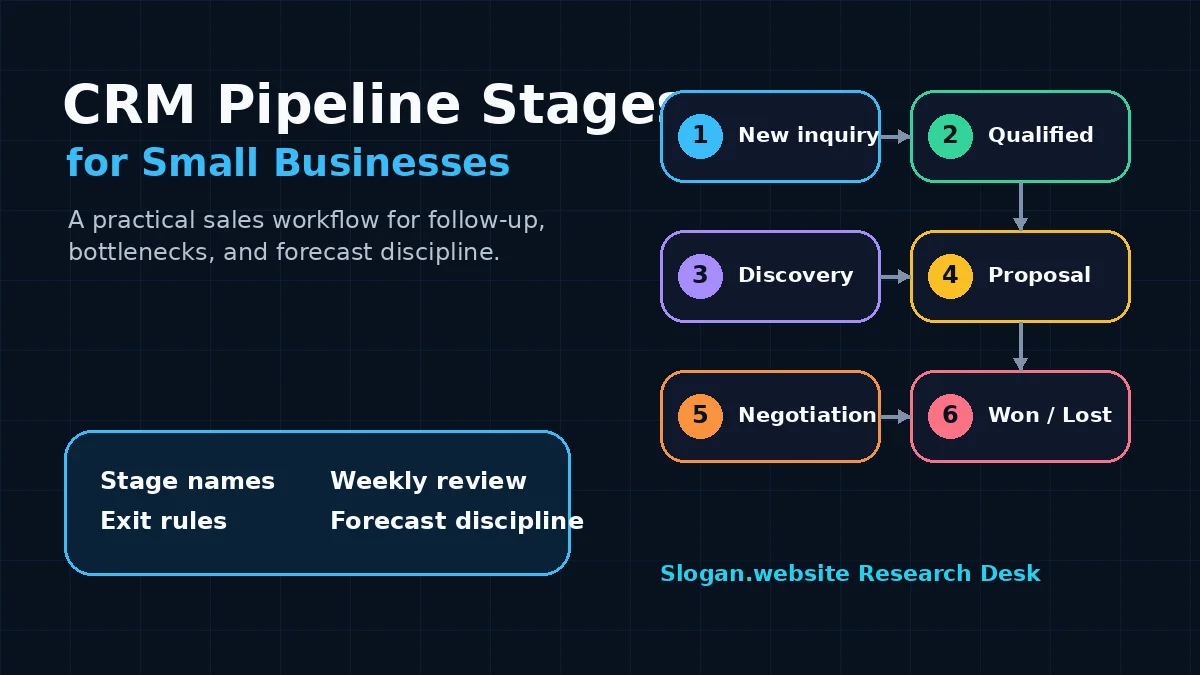
A small business CRM pipeline should make sales work easier, not heavier. The goal is to show which opportunities deserve attention, what needs to happen next, and where deals are getting stuck.
The first version does not need complicated revenue operations logic. It needs stage names the team understands, clear entry and exit rules, and a weekly habit of reviewing movement instead of admiring a colorful board.
Start with the sales decision the pipeline should improve
A pipeline is useful only if it improves decisions. Before changing CRM stages, choose the operating questions the pipeline should answer:
- Which opportunities need follow-up today?
- Which leads are qualified enough for the owner or sales rep?
- Which proposals are waiting on the customer?
- Which stage is slowing down revenue?
- What revenue is realistically likely to close this month?
Salesforce describes a sales pipeline as a summary of available and upcoming opportunities that helps managers understand projected revenue, bottlenecks, and cash flow (Salesforce). That is the right lens for a small business: the pipeline should support action and forecasting, not just data entry.
If the pipeline does not change how the team follows up, quotes work, or reviews demand, it is probably too decorative.
Use simple stage names with clear meaning
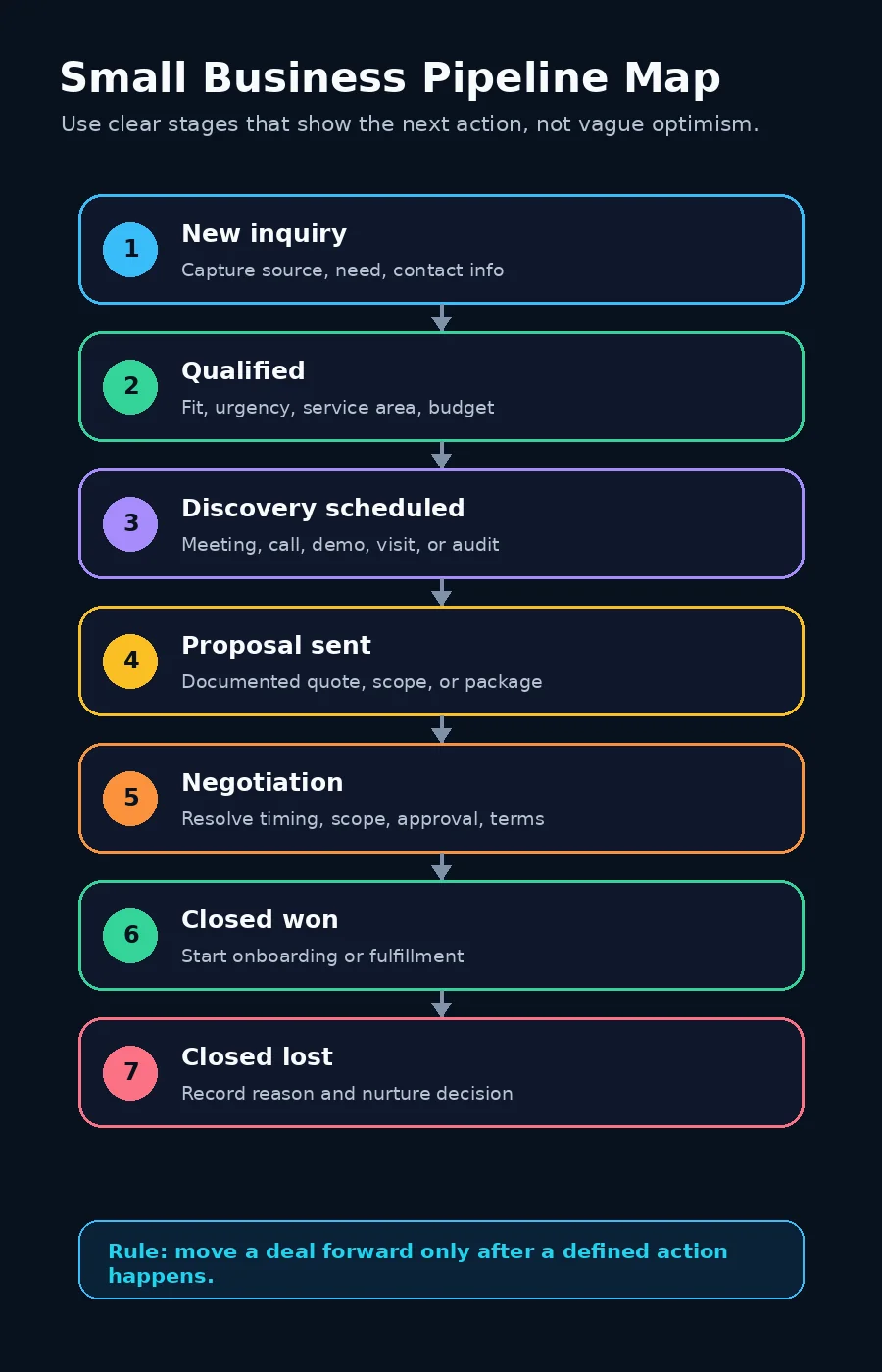
For most small businesses, a first CRM pipeline can use seven outcome-focused stages.
| Stage | What it means | Typical next action |
|---|---|---|
| New inquiry | A form, call, referral, chat, or email has entered the CRM but has not been qualified. | Confirm contact details, source, need, location, and urgency. |
| Qualified | The opportunity appears to fit the business and is worth a sales conversation. | Assign an owner and schedule discovery or consultation. |
| Discovery scheduled | A meeting, call, walkthrough, demo, or needs assessment is on the calendar. | Prepare questions, confirm attendance, and collect missing context. |
| Proposal sent | The prospect has received pricing, scope, quote, contract, or recommended package. | Follow up on questions, decision timeline, and blockers. |
| Negotiation | The prospect is discussing terms, timing, scope, approvals, or final objections. | Clarify decision criteria and document the agreed next step. |
| Closed won | The customer has agreed and the business has a real order, signed agreement, paid invoice, or booked work. | Trigger onboarding, fulfillment, scheduling, and customer communication. |
| Closed lost | The opportunity is not moving forward. | Record the lost reason and decide whether nurture is appropriate. |
Pipedrive recommends customizing pipeline stages to match the company’s actual sales process and using clear, specific, action-oriented stage names such as “Meeting scheduled” or “Proposal sent,” rather than vague labels like “In progress” (Pipedrive Knowledge Base). That advice matters because vague stages create vague follow-up.
Add entry and exit criteria to every stage
Stage names are not enough. A small business also needs rules for when an opportunity enters or leaves each stage.
Without rules, one person may move a deal to “proposal” after mentioning a price range on the phone, while another waits until a formal quote is sent. The pipeline then looks precise but means different things depending on who updated it.
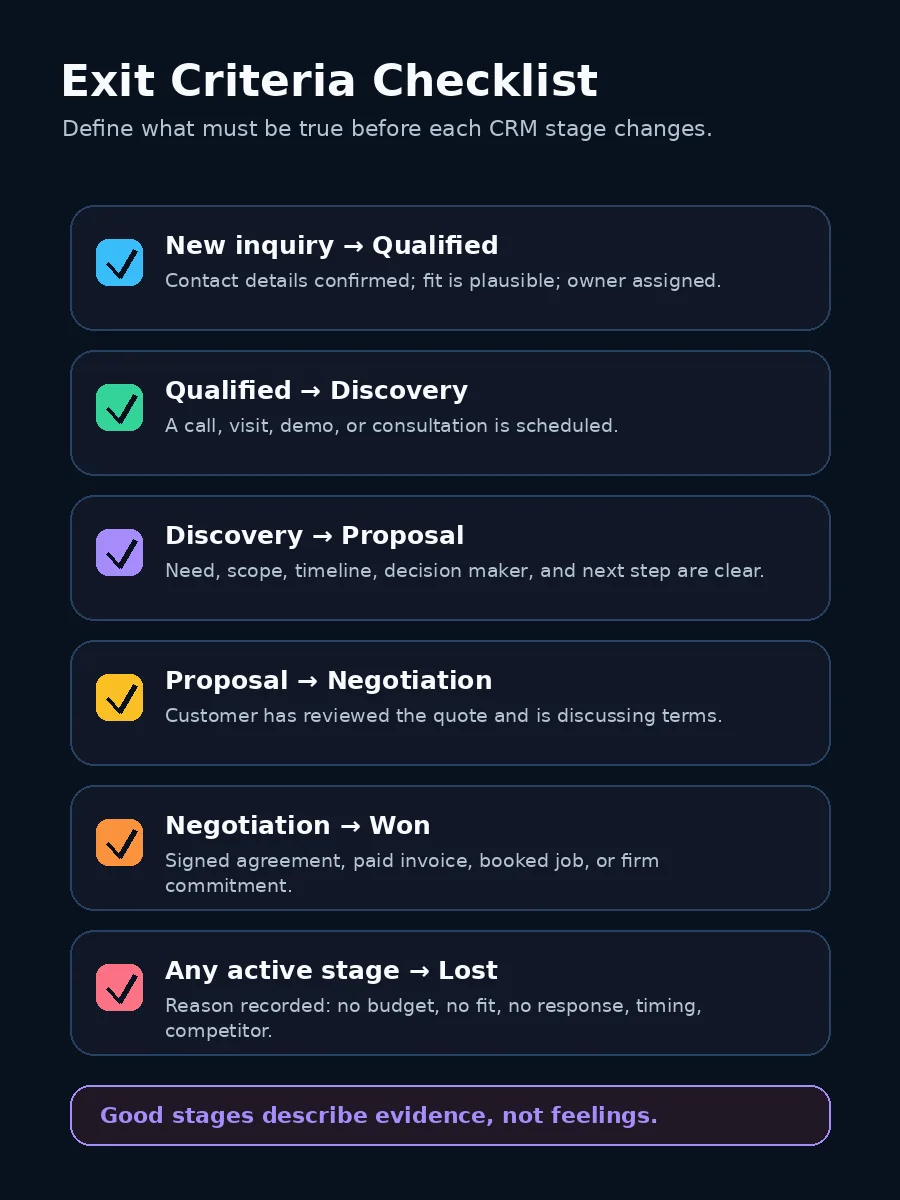
A practical rule set can look like this:
| Stage | Entry rule | Exit rule |
|---|---|---|
| New inquiry | A prospect contacts the business or is created from a campaign, referral, form, or call. | Basic fit and contact information are confirmed, or the inquiry is disqualified. |
| Qualified | The prospect matches service area, need, budget range, timeline, or target customer criteria. | A discovery step is scheduled, or the opportunity is closed lost with a reason. |
| Discovery scheduled | A call, visit, demo, audit, or consultation is on the calendar. | Discovery is completed and the team knows whether a proposal is appropriate. |
| Proposal sent | The prospect receives a documented quote, scope, package, contract, or recommendation. | The prospect accepts, rejects, asks for changes, or moves into final negotiation. |
| Negotiation | Terms, price, timing, scope, approval, or contract details are actively being resolved. | The customer commits, pauses, or declines. |
These rules are especially helpful when the business has more than one person touching leads. They reduce debates about whether a deal is “really” in a stage and make reports easier to trust.
Keep lead status separate from deal stage
Many small businesses mix lead status and deal stage. That creates confusion.
A lead status describes what is happening to the person or company before there is a real opportunity. A deal stage describes the progress of a sales opportunity after the business believes there may be revenue.
| CRM concept | Best used for | Example values |
|---|---|---|
| Lead status | Early contact handling before a real opportunity is confirmed. | New, attempted contact, connected, unqualified, nurture. |
| Deal stage | Tracking a specific revenue opportunity from qualification to outcome. | Qualified, discovery scheduled, proposal sent, negotiation, closed won, closed lost. |
| Lifecycle stage | Broad relationship status across marketing, sales, and customer success. | Subscriber, lead, customer, evangelist, former customer. |
HubSpot’s default deal property documentation describes “Deal stage” as the property that categorizes and tracks a deal’s progress through a pipeline, while the “Pipeline” determines the available deal stages (HubSpot Knowledge Base). In practice, that means the deal pipeline should not be forced to carry every contact-management detail.
Use lead status to manage early outreach. Use deal stage once the business is tracking a potential sale.
Assign rough probabilities carefully
Stage probabilities can help a small business forecast, but they can also create false confidence. A CRM may show a weighted pipeline that looks scientific, even though the probabilities are only guesses.
A sensible first version can use rough planning assumptions:
| Stage | Starter probability | Review note |
|---|---|---|
| Qualified | 20% | Use cautiously until the team knows how many qualified leads become proposals. |
| Discovery scheduled | 35% | Lower this if no-shows or weak-fit consultations are common. |
| Proposal sent | 50% | Review by offer type, because custom projects and repeat purchases may close differently. |
| Negotiation | 70% | Do not treat verbal interest as commitment unless a concrete next step exists. |
| Closed won | 100% | Use only after the business has the signed agreement, payment, booked project, or equivalent commitment. |
Pipedrive notes that stage probability can be used when historical performance data helps estimate how likely deals in a stage are to close, and that deal probability can override stage probability for individual deals (Pipedrive Knowledge Base). For a small business, that means probabilities should improve with real outcomes over time.
Review probabilities monthly. If only 25% of proposals close, the “proposal sent” stage should not sit at 60% because the team wishes it did.
Watch age, next activity, and stage conversion
A healthy pipeline is not just a list of deal values. It shows movement.
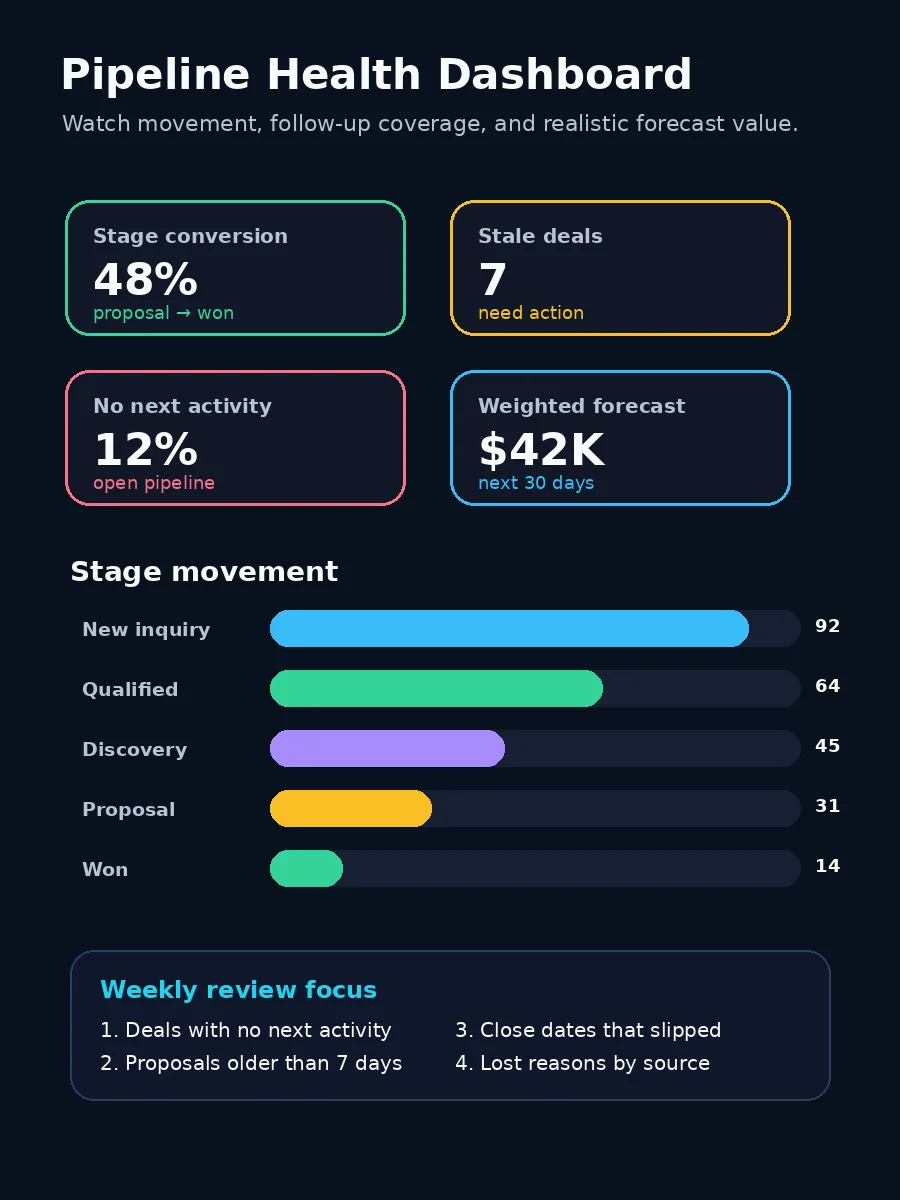
Track four operating metrics before adding more dashboards:
| Metric | What it tells you | How to use it |
|---|---|---|
| Stage conversion | How many opportunities move from one stage to the next. | Find weak handoffs, poor qualification, or proposal issues. |
| Stage age | How long a deal has been sitting in the same stage. | Spot stalled opportunities before they become forgotten opportunities. |
| Next activity coverage | Whether every open deal has a scheduled next step. | Keep follow-up from depending on memory. |
| Weighted forecast | Estimated revenue using deal value and probability. | Plan cash flow carefully, but compare the forecast with actual closed revenue. |
HubSpot’s default deal properties include activity and pipeline-related fields such as deal stage, pipeline, last activity date, last contacted, next activity date, and calculated time-in-stage information (HubSpot Knowledge Base). A small team does not need to use every field, but the underlying idea is important: pipeline health depends on timing and activity, not only deal amount.
Create a weekly pipeline review habit
The pipeline becomes valuable when the team reviews it consistently. For many small businesses, a 30-minute weekly review is enough.
Use this agenda:
- Check new inquiries from the past week.
- Confirm every qualified opportunity has an owner.
- Review deals with no next activity.
- Review deals that have been in the same stage too long.
- Check proposals waiting on customer response.
- Update close dates and deal values that are no longer realistic.
- Record lost reasons for recent closed-lost opportunities.
- Choose one bottleneck to fix before the next review.
Keep the meeting practical. The goal is not to update the CRM for its own sake. The goal is to protect follow-up, improve forecasting, and learn where sales is leaking.
Do not overbuild the first pipeline
Small teams often copy enterprise sales stages too early: marketing-qualified lead, sales-accepted lead, sales-qualified opportunity, technical validation, legal review, procurement, verbal commit, and several more. That can make sense in complex B2B sales. It can be unnecessary for a local service business, agency, consultant, clinic, contractor, or early-stage software company.
Use fewer stages when:
- one person handles both qualification and sales;
- the buying process is short;
- most deals are under a few thousand dollars;
- proposals are simple;
- there is not enough volume to calculate reliable stage metrics.
Add stages only when a real bottleneck deserves separate measurement. If “proposal sent” contains two very different situations, such as waiting for site inspection and waiting for contract approval, a new stage may help. If a stage exists only because the CRM template included it, remove or rename it.
A practical 14-day rollout
A CRM pipeline redesign does not need to become a quarter-long project. Use a short rollout:
Days 1-2: Map the real process. Write the actual steps from first inquiry to won or lost. Interview whoever answers leads, quotes work, schedules appointments, or closes deals.
Days 3-4: Choose stage names. Use five to seven active stages with plain language. Avoid vague labels such as “working,” “active,” or “in progress.”
Days 5-6: Define entry and exit rules. Decide exactly what must happen before a deal moves forward. Add lost-reason options.
Days 7-9: Clean current deals. Move old opportunities into the right stages, close dead deals, and add next activities.
Days 10-12: Add basic reporting. Create views for deals with no next activity, stale deals, proposals sent, and forecasted revenue.
Days 13-14: Run the first review. Compare the pipeline with reality. Fix stage names, exit rules, and probabilities before the habits harden.
A good CRM pipeline is not a perfect model of the business. It is a simple operating system for better follow-up, cleaner forecasting, and fewer lost opportunities hiding in plain sight. If inbound leads arrive from organic or AI-answer discovery, use the GEO visibility checklist on the pages those deals first touched.
Frequently asked questions
What CRM pipeline stages should a small business use?
A useful first pipeline usually includes new inquiry, qualified, discovery scheduled, proposal sent, negotiation, closed won, and closed lost. The exact names should match the real steps your team follows before a deal is won or lost.
How many sales pipeline stages are too many?
Most small businesses should start with five to seven active stages before closed won or closed lost. Too many stages make the CRM harder to maintain and can create false precision when the team has limited sales volume.
Should every CRM stage have a probability?
Stage probability is useful for forecasting only after the business has enough historical data. In the first version, use rough probabilities as planning assumptions and review them monthly against actual win rates.