Small Business Lead Scoring: A Practical CRM Workflow

A small business does not need a complicated revenue operations team to score leads. It needs a clear definition of a good customer, a short list of meaningful buying signals, and a CRM workflow that tells the team who deserves attention first.
Lead scoring is useful because most leads are not equally ready. Some are browsing, some are comparing options, and some are trying to buy this week. A score helps separate those groups without forcing the owner, sales rep, or office manager to inspect every inquiry from scratch.
Start with the decision the score should improve
The first mistake is treating lead scoring as a reporting project. It should be an operating decision.
Before adding fields or automation, choose one decision the score will improve:
- Which leads get called within one business hour?
- Which contacts enter a sales sequence?
- Which inquiries should be routed to the owner or senior closer?
- Which leads need more education before a sales conversation?
- Which old opportunities should be reactivated?
If the score does not change the next action, it will become another number no one uses.
A practical first version should answer one question: who should we follow up with first today?
Use four scoring buckets
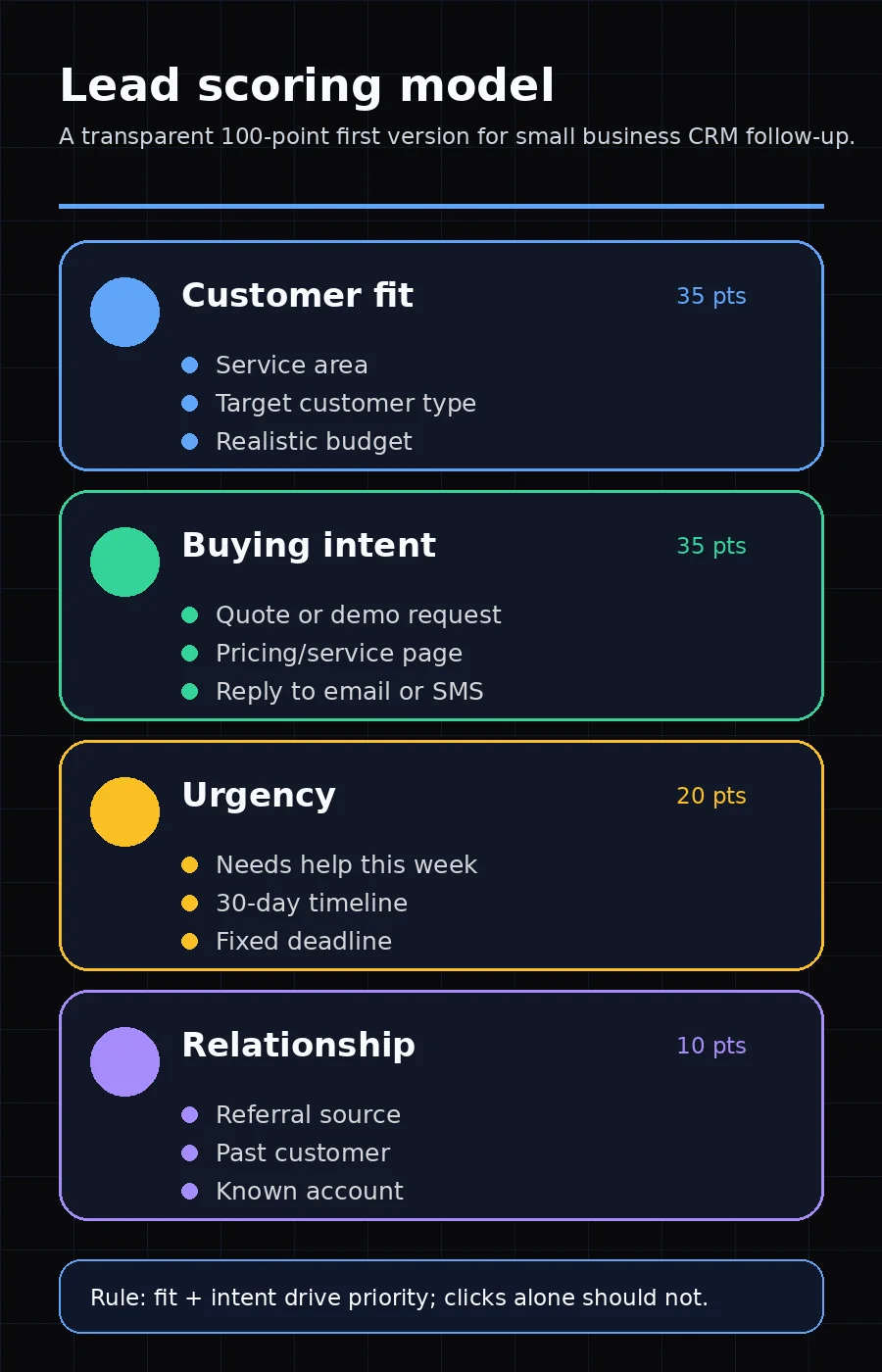
For most small businesses, a lead score should combine four buckets: fit, intent, urgency, and relationship quality.
| Bucket | What it measures | Example signals |
|---|---|---|
| Fit | Whether the lead resembles a profitable customer | Service area, company size, industry, budget range, use case |
| Intent | Whether the lead is showing buying behavior | Quote request, demo request, pricing-page visit, repeat website sessions |
| Urgency | How soon the lead appears to need help | Project date, timeline field, emergency request, event date |
| Relationship | Whether trust already exists | Referral source, past customer, newsletter subscriber, known account |
This structure keeps the score balanced. A lead can be highly engaged but a poor fit. Another lead can be a great fit but not ready. The best follow-up candidates usually have both fit and intent.
Build a 100-point first version
A 100-point scale is easy to understand. It does not need to be mathematically perfect. It needs to be consistent.
Here is a simple starting model:
| Category | Max points | Why it matters |
|---|---|---|
| Customer fit | 35 | Prevents the team from chasing leads that cannot buy or cannot be served well |
| Buying intent | 35 | Identifies actions that suggest real evaluation |
| Urgency | 20 | Helps prioritize time-sensitive opportunities |
| Relationship quality | 10 | Rewards trust signals without overpowering fit and intent |
Then define the rules.
Customer fit: up to 35 points
Use fields your team can actually collect:
- In service area: +10
- Matches target industry or customer type: +10
- Clear need for a core service: +8
- Budget range appears realistic: +7
- Outside service area: -20
- Request is unrelated to your offer: -25
Negative scoring is important. It keeps low-fit leads from floating to the top just because they clicked many emails.
Buying intent: up to 35 points
Intent should reflect behavior close to revenue:
- Requests a quote, consultation, or demo: +20
- Visits a pricing, services, or booking page: +8
- Replies to an email or text: +7
- Downloads a buying guide or checklist: +5
- Opens an email only: +1 or +2
Do not overweight soft engagement. An email open can be useful context, but it should not outrank a form submission or direct reply.
This matches how major CRM and marketing platforms describe scoring conceptually. HubSpot's documentation explains lead scores as values assigned from criteria such as engagement and fit, stored in score properties that can be used in views, lists, workflows, and reports (HubSpot Knowledge Base). Salesforce's Trailhead describes lead scoring as a method for measuring a lead's interest so sales and marketing teams can focus on prospects more likely to convert (Salesforce Trailhead).
Urgency: up to 20 points
Urgency is especially valuable for local services, agencies, consultants, clinics, and B2B providers where timing affects close rate.
- Wants help within 7 days: +15
- Wants help within 30 days: +10
- Has a fixed deadline or event date: +5
- Timeline is unknown: +0
- Timeline is more than six months away: -5
Urgency points should not replace qualification. A bad-fit urgent lead is still a bad-fit lead.
Relationship quality: up to 10 points
Trust signals deserve points, but keep the cap low:
- Referred by a customer or partner: +7
- Past customer or previous opportunity: +5
- Subscriber or community member: +3
- Cold purchased list contact: -10
A referral should raise priority. It should not hide missing budget, poor fit, or a weak use case.
Define priority bands the team can act on
A score is only useful if everyone knows what happens next.
Use simple bands:
| Score | Priority | Action |
|---|---|---|
| 75-100 | Hot | Call quickly, send a personalized follow-up, and create a sales task |
| 50-74 | Warm | Enter a short nurture sequence and schedule follow-up |
| 25-49 | Early | Send educational content and wait for stronger intent |
| 0-24 | Low fit or low intent | Archive, suppress, or route to a low-touch workflow |
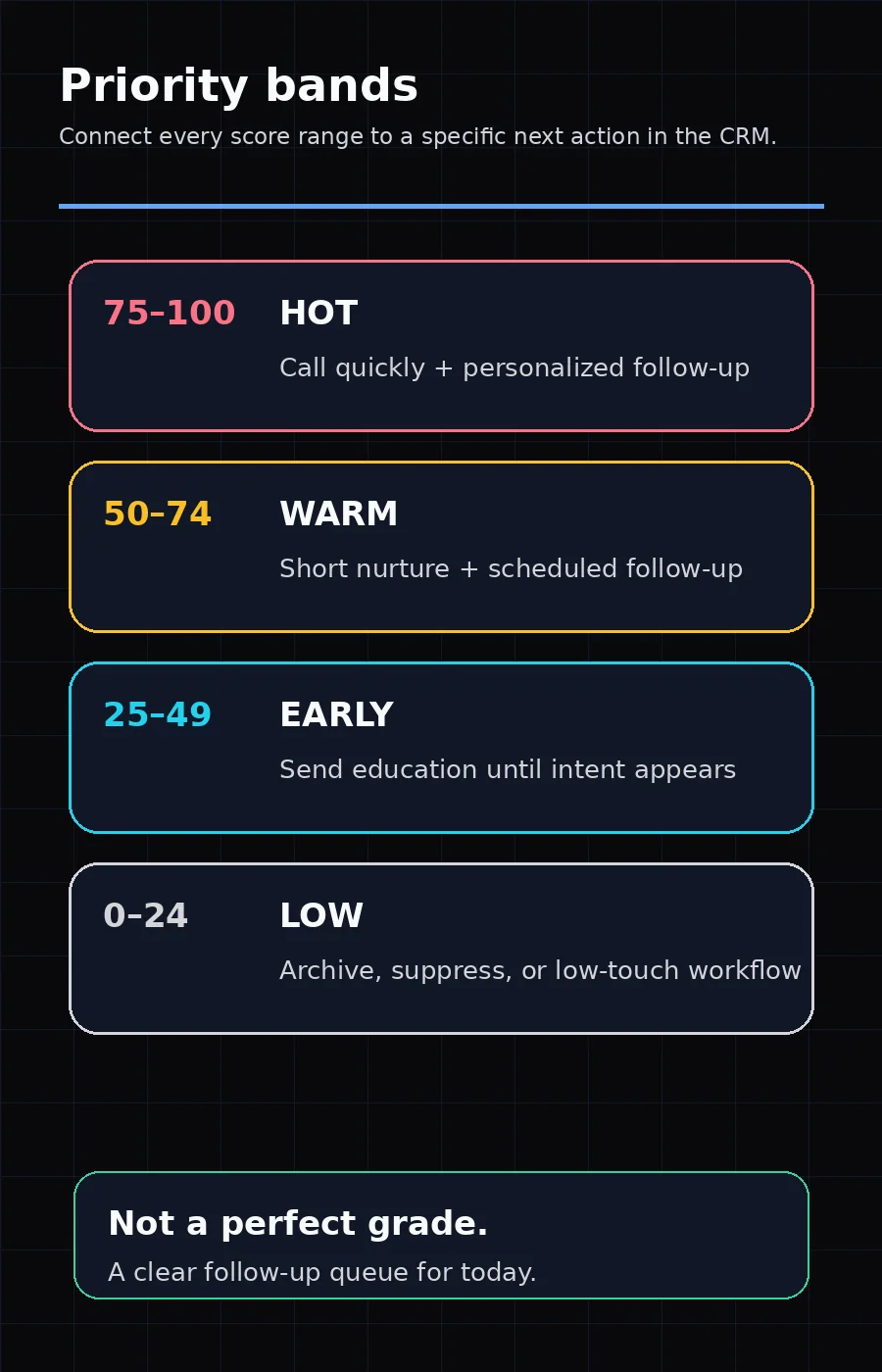
Avoid creating too many bands. The goal is not to grade every lead perfectly. The goal is to make daily follow-up more focused.
Capture the minimum CRM fields
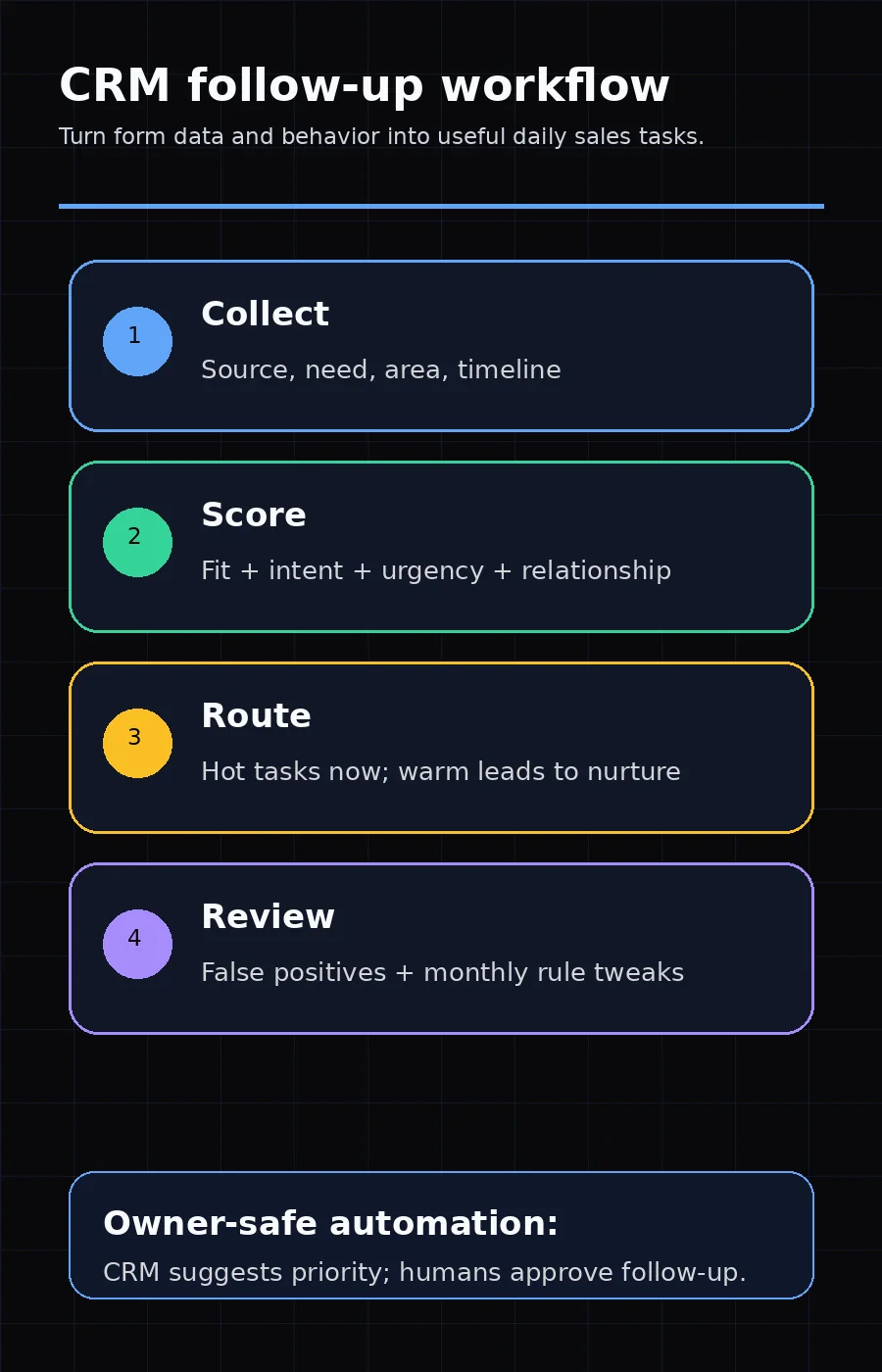
Lead scoring fails when the CRM is missing basic information. Start with fields that are easy to collect on forms, calls, or intake notes:
- Lead source
- Service or product interest
- Location or service area
- Customer type or industry
- Estimated timeline
- Budget range, if appropriate for the market
- Form submitted or conversion action
- Last meaningful engagement
- Owner or follow-up status
Do not make every field required on the first form. Asking too much too early can create friction. For many businesses, it is better to ask two or three qualifying questions first, then enrich the CRM after the first conversation.
Connect lead scoring to analytics
The CRM score should be connected to real conversion behavior, not just vanity activity.
If you use Google Analytics, mark the important actions as key events: quote requests, consultation bookings, trial signups, calls from landing pages, or other actions that matter to the business. Google's Analytics documentation defines a key event as an event that measures an action important to business success and explains that any collected event can be marked as a key event (Google Analytics Help).
That matters because the best score is built from high-intent actions, not raw traffic volume. A visitor who fills out a project request form is more important than a visitor who reads three blog posts and leaves.
Keep AI out of the first version
AI lead scoring can be useful, but it is not the best first step for most small businesses.
Start with a rule-based model because it is:
- easier to explain to the team
- easier to audit when the score looks wrong
- easier to adjust after sales feedback
- less dependent on large historical datasets
- safer when CRM data is incomplete or inconsistent
Once the business has enough clean records, you can compare the rule-based score against real outcomes. Look at closed customers, lost deals, no-shows, and unqualified inquiries. If patterns are clear and the CRM data is reliable, AI scoring may become useful as a second layer.
Review the score every month
Lead scoring should improve over time. Review it monthly with a small sample of leads:
- Pull the top 20 scored leads from the prior month.
- Mark which became qualified opportunities, booked calls, proposals, or customers.
- Identify false positives: leads that scored high but were not worth the time.
- Identify false negatives: leads that scored low but became good customers.
- Adjust one or two rules, not the entire system.
The sales team should be part of this review. If reps do not trust the score, they will ignore it.
Common lead scoring mistakes
Scoring every click as buying intent
A blog visit, social click, or email open may show interest, but it does not always show buying intent. Reserve the highest points for actions closer to a purchase decision.
Letting engagement overpower fit
A poor-fit lead can consume time even if they are highly active. Use fit caps and negative scores to keep the queue clean.
Forgetting score decay
Old activity should matter less. A pricing-page visit from yesterday is more useful than one from eight months ago. If your CRM supports decay or date-based rules, use them for engagement signals.
Creating a score nobody can explain
If the owner, marketer, or salesperson cannot explain why a lead scored 82, the system is too opaque. Start simple.
A practical rollout plan
Use a four-week rollout instead of trying to automate everything at once.
Week 1: Define the model. Agree on the four buckets, the maximum points, and the priority bands.
Week 2: Clean the CRM fields. Add missing fields, standardize lead sources, and remove confusing picklist options.
Week 3: Launch the score quietly. Let the score run while the team compares it to human judgment.
Week 4: Use it in follow-up. Create tasks, views, or workflows for hot and warm leads.
After that, review monthly.
The bottom line
Lead scoring should make sales follow-up clearer, not more complicated. A small business can start with a transparent 100-point model based on fit, intent, urgency, and relationship quality.
The best version is not the most advanced one. It is the one your team trusts enough to use every day. When high-intent leads come from organic or AI-answer channels, confirm the source pages pass the GEO visibility checklist so scoring reflects real discovery quality, not just form fills.
Frequently asked questions
What is lead scoring for a small business?
Lead scoring is a simple way to assign points to prospects based on fit, buying intent, urgency, and engagement so sales follow-up starts with the most promising opportunities.
Do small businesses need AI lead scoring?
Not at first. Most teams should begin with a transparent rule-based score, then consider AI scoring only after the CRM has enough clean historical lead and conversion data.
What should trigger a high-priority follow-up?
A high-priority follow-up should usually require both good fit and a buying signal, such as a quote request, booked consultation, pricing-page visit, or repeat engagement from a target account.