Canva turns ChatGPT and Gemini image outputs into editable campaign assets with Magic Layers
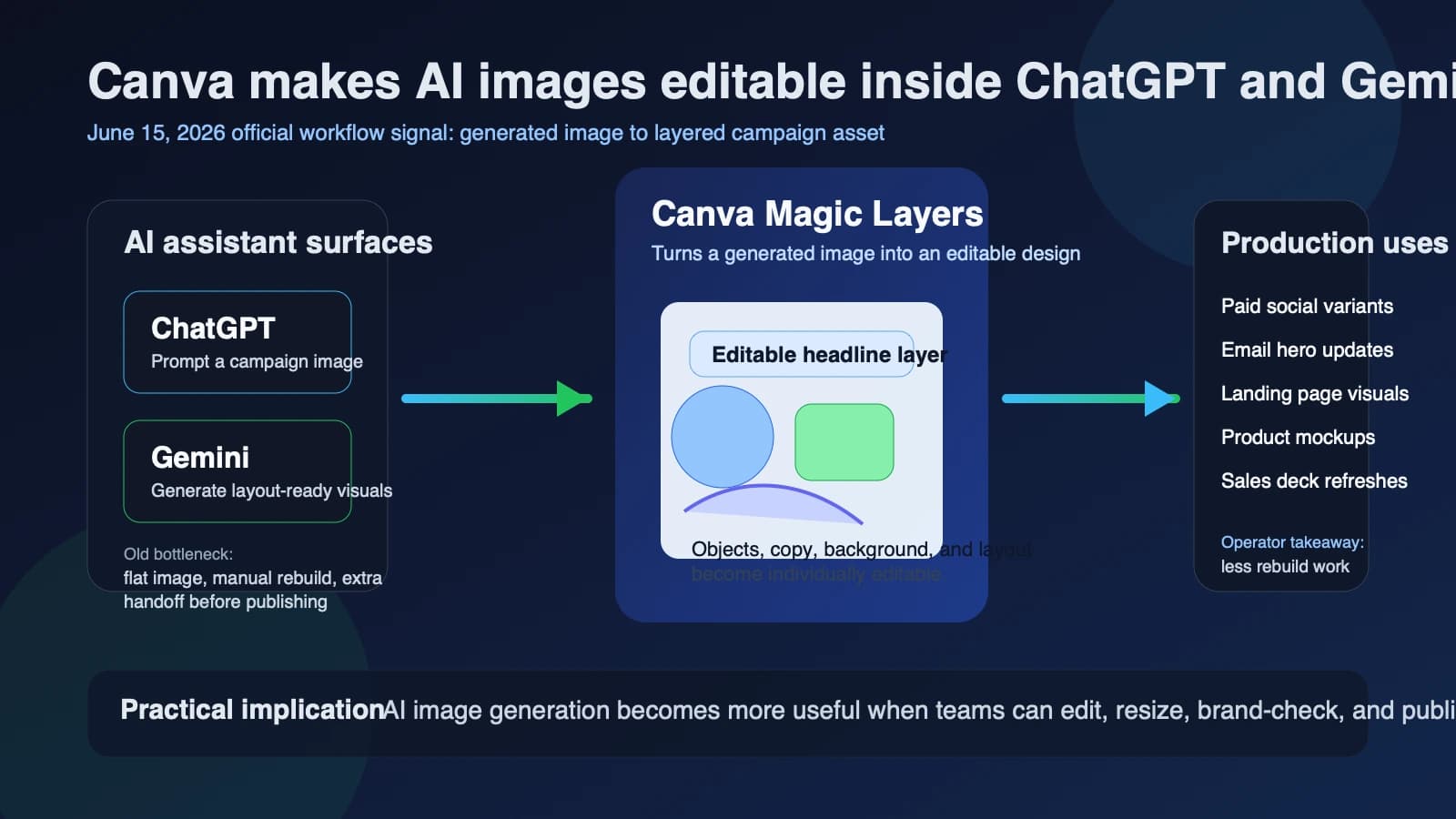
Canva said on June 15, 2026 that Magic Layers is now available inside Google Gemini and OpenAI's ChatGPT. That is the direct product news. The more useful operator reading is that Canva is trying to solve a common AI-workflow failure point: a generated image may look promising, but the moment a team needs to change the headline, swap a background element, resize it for another channel, or make it match brand rules, the flow usually breaks. Canva's new move is to make that generated image editable instead of leaving it as a flat file.
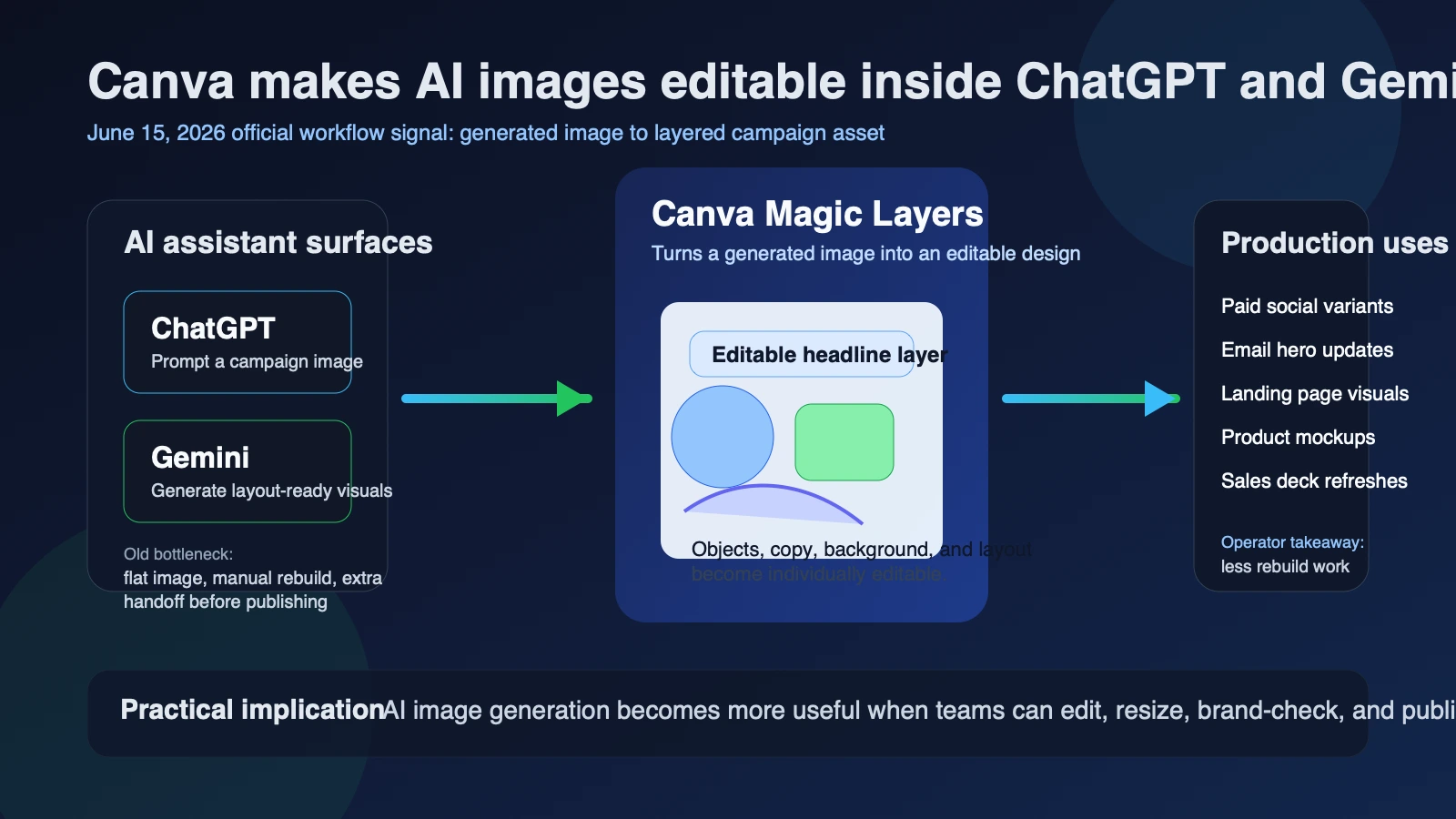
According to Canva's official announcement, Magic Layers can turn an AI-generated image into a fully layered, editable Canva design with selectable text, objects, backgrounds, and layout structure. The same post says the feature is available starting today inside the image-generation surfaces of both Gemini and ChatGPT. For marketing teams, agencies, and founder-led operators, that turns AI image generation from a rough ideation tool into something closer to a production asset workflow.
What changed
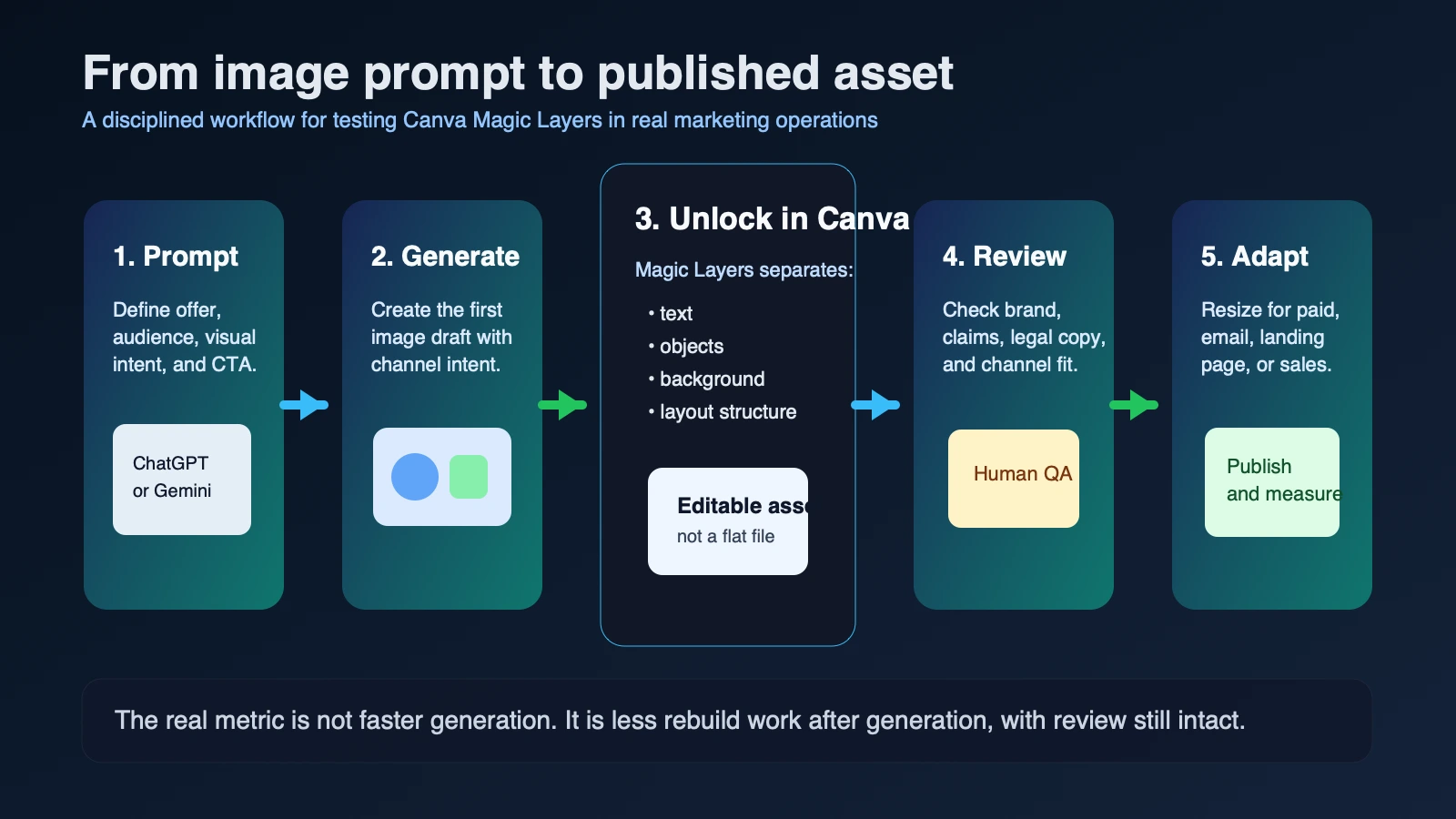
Canva's June 15 newsroom post says Magic Layers is now embedded in the places where people already generate images in Gemini and ChatGPT. Instead of generating an image, downloading it, re-uploading it into a design tool, and manually rebuilding the layout, users can now prompt Canva to convert the result into an editable design. Canva says that means the image can be remixed, refined, resized, translated, and published without restarting the creative process.
This is an expansion of a product direction Canva has been building for months. In its earlier Magic Layers launch announcement, Canva said the feature converts static images into editable designs using its Canva Design Model. In its Gemini integration page, the company said Gemini users could already generate new designs, search existing Canva content, and turn Gemini-generated images into editable layouts. And in the earlier ChatGPT and Codex integration post, Canva framed ChatGPT as a place where users could create, edit, translate, and preview designs directly in conversation. The June 15 update is the bridge between those two threads: the generated image itself is now part of the editable workflow inside both assistants.
| Confirmed June 15, 2026 detail | Primary source | Why it matters |
|---|---|---|
| Magic Layers is now available inside Gemini and ChatGPT. | Canva newsroom | The editability layer now sits inside two mainstream AI assistant workflows, not only inside Canva after the fact. |
| Canva says Magic Layers turns AI-generated images into fully editable Canva designs. | Canva newsroom | Teams can revise text, objects, and structure instead of treating AI output as a locked image. |
| Canva says Magic Layers had more than 9 million uses in its first four weeks. | Canva newsroom | The company has evidence that demand exists beyond a niche demo audience. |
| The original Magic Layers launch rolled out in public beta across the US, UK, Canada, and Australia. | Canva Magic Layers launch | The new assistant expansion builds on a product already aimed at English-language business markets that overlap with Slogan.website's audience. |
| Canva says its Connected App for Google Gemini and its ChatGPT app are available to users globally. | Canva newsroom | Availability is broader than a limited enterprise pilot, though account connection is still required. |
Why it matters
This matters because many AI-assisted creative workflows still fail at the handoff from generation to production. A marketer might get a strong campaign image from Gemini or ChatGPT in seconds, but then lose time rebuilding the text, background, product framing, or brand styling in another tool. That handoff is where a lot of "AI saved time" claims quietly fall apart.
Canva is trying to turn that failure point into a workflow advantage. If a team can generate an image in an assistant and then immediately edit the composition, copy, and variants in Canva, it can move faster on paid social, landing-page creative, sales decks, product launch visuals, and email assets. For small businesses and lean in-house teams, the practical value is not artistic novelty. It is fewer context switches and fewer rounds of low-value rework.
That is also why this story fits the broader Slogan.website product direction better than generic AI hype. The main operational question is the same one teams should ask with the GEO Visibility Checklist, the Marketing ROI Calculator, and the Digital Marketing Budget Planner: does a new tool reduce friction in a measurable way, or does it just create more output to review?
Who is affected
The first group is performance and content marketers who already brainstorm in ChatGPT or Gemini and need to turn rough outputs into channel-ready assets quickly. The second is agencies and fractional teams handling multiple brands, where editable AI output can reduce tedious rebuild work if brand governance remains tight. The third is founder-led operators, ecommerce teams, and local businesses that do not have a dedicated designer available for every draft, test, or one-off campaign visual.
Internationally, the story also matters because the audience overlap is strong. Canva's prior rollout language covered the United States, the United Kingdom, Canada, and Australia, while the current assistant availability language is broader. Teams in Europe should still verify any assistant-specific access limits on their own accounts, but the workflow signal is already clear.
What to do next
Treat this as a bounded workflow upgrade, not a reason to skip review.
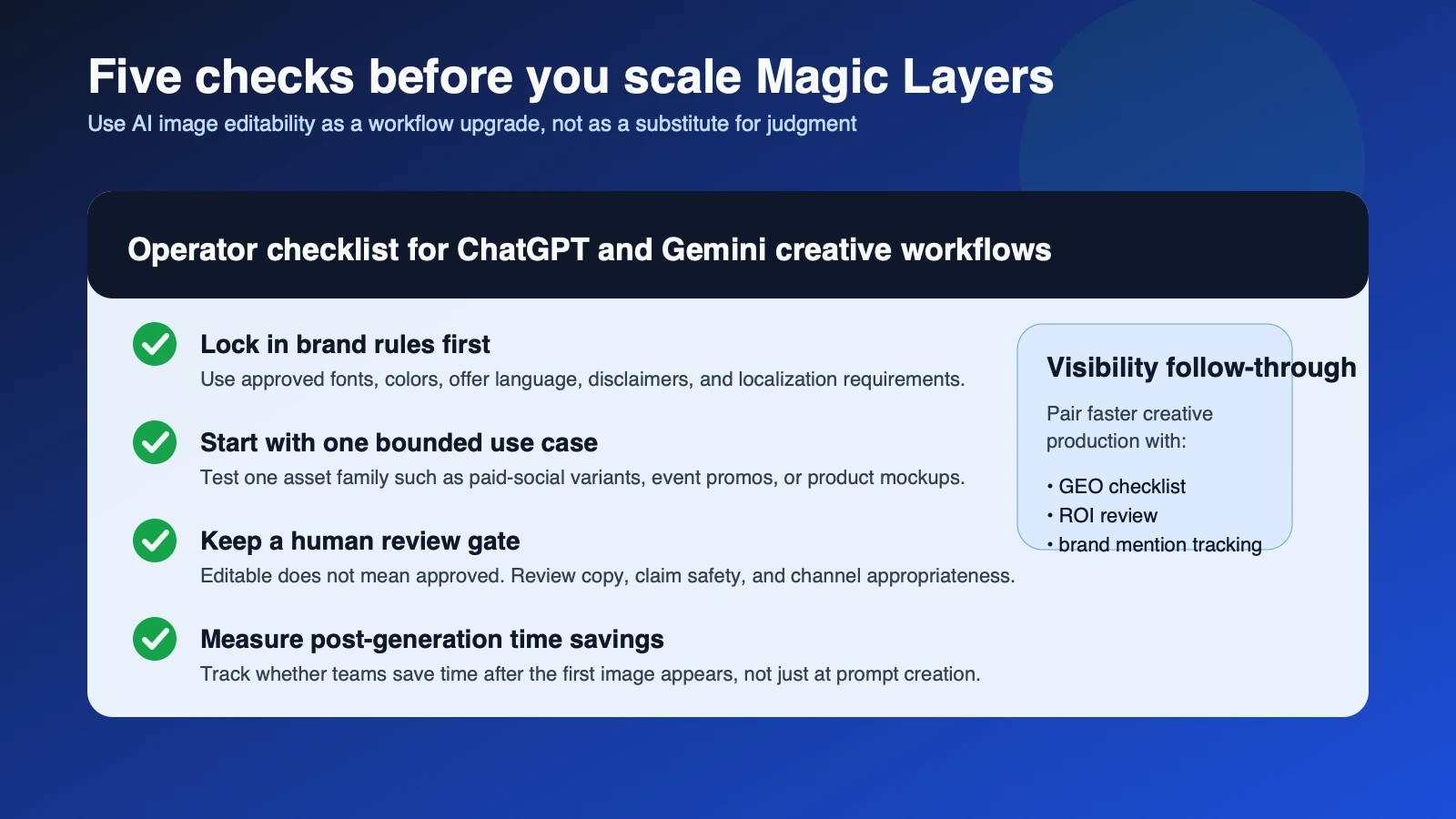
- Pick one repetitive use case first, such as paid-social variants, event promos, product mockups, or email header creative.
- Define brand constraints before testing: fonts, colors, offer language, legal disclaimers, and localization rules.
- Measure how much time is saved after the image is generated, not only how quickly the first draft appears.
- Use the Marketing ROI Calculator and Digital Marketing Budget Planner to decide whether faster creative production is improving campaign economics.
- Pair AI-assisted asset creation with visibility QA, especially when visuals support discoverability-driven content, product pages, or brand narratives tracked through brand-mention monitoring.
What remains uncertain
Important limits remain as of June 15, 2026. Canva has described the product direction clearly, but it has not published universal benchmarks for time saved, performance lift, or error reduction across different industries. The company also says users need to connect their Canva account inside the app settings or prompt Canva to connect, which means workflow quality will still depend on permissions, account setup, and how disciplined the team is with templates and reviews.
There is also a governance reality. Magic Layers can make an image editable, but it does not decide whether the claim is compliant, whether the visual is strategically sound, or whether the asset fits the channel. Teams that confuse editable output with production-ready output will still create weak campaigns faster.
The practical takeaway is narrower and more useful. On June 15, 2026, Canva made ChatGPT and Gemini more usable for real creative operations by reducing the gap between generated image and editable asset. The advantage will go to teams that use that speed to shorten handoffs while keeping brand and measurement discipline intact.