robots.txt for AI Crawlers: GPTBot, ClaudeBot, PerplexityBot
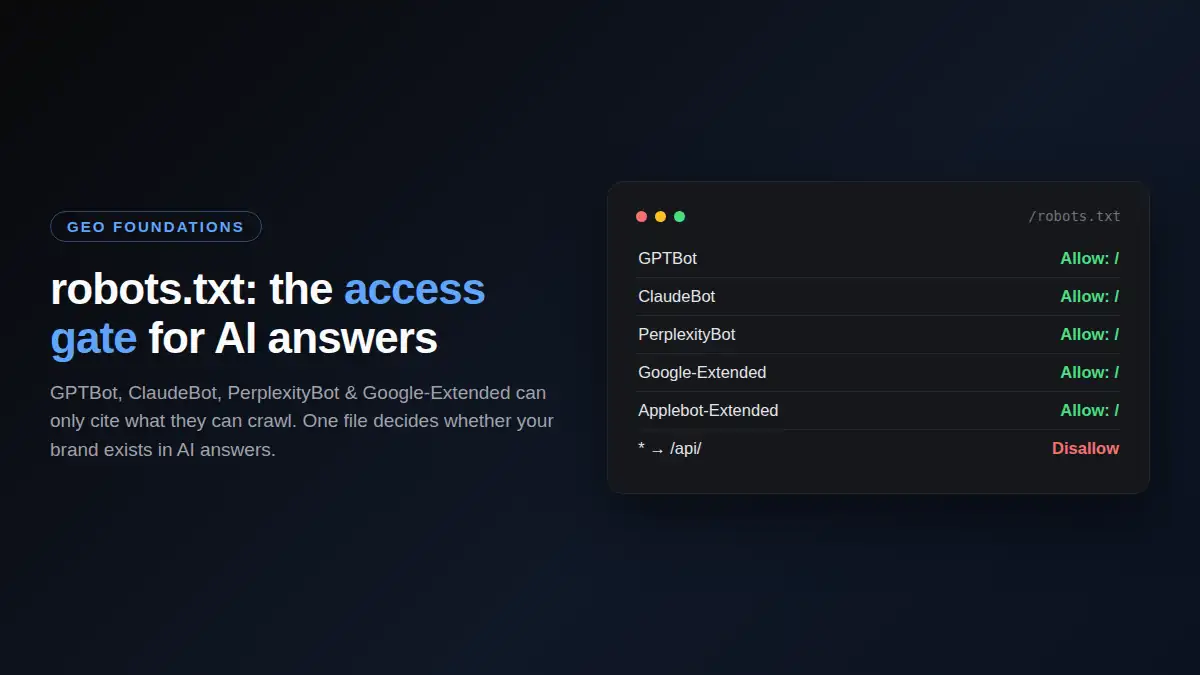
Generative engine optimization has a technical prerequisite that is easy to miss: AI answer engines can only cite content their crawlers can read. GPTBot, ClaudeBot, PerplexityBot, Google-Extended, and Applebot-Extended are the bots that feed ChatGPT, Claude, Perplexity, Google AI Overviews, and Apple Intelligence.
If robots.txt, an edge firewall, or a security tool blocks them, your brand simply does not exist in AI answers, no matter how good the content is.
This guide covers the exact rules to allow, the trade-offs of blocking, and how to verify the crawlers actually arrive.
The copy-paste robots.txt baseline
Most sites can safely allow all AI crawlers while still excluding private or low-value paths. This baseline keeps the important bots open:
User-agent: GPTBot
Allow: /

User-agent: ChatGPT-User
Allow: /

User-agent: OAI-SearchBot
Allow: /

User-agent: ClaudeBot
Allow: /

User-agent: Claude-SearchBot
Allow: /

User-agent: PerplexityBot
Allow: /

User-agent: Google-Extended
Allow: /

User-agent: Applebot-Extended
Allow: /

User-agent: CCBot
Allow: /

User-agent: Amazonbot
Allow: /

User-agent: meta-externalagent
Allow: /

User-agent: *
Allow: /
Disallow: /api/
Deploy that, and every major AI answer engine can read your pages. The site already uses this pattern in production; this guide exists because most small business sites do not.
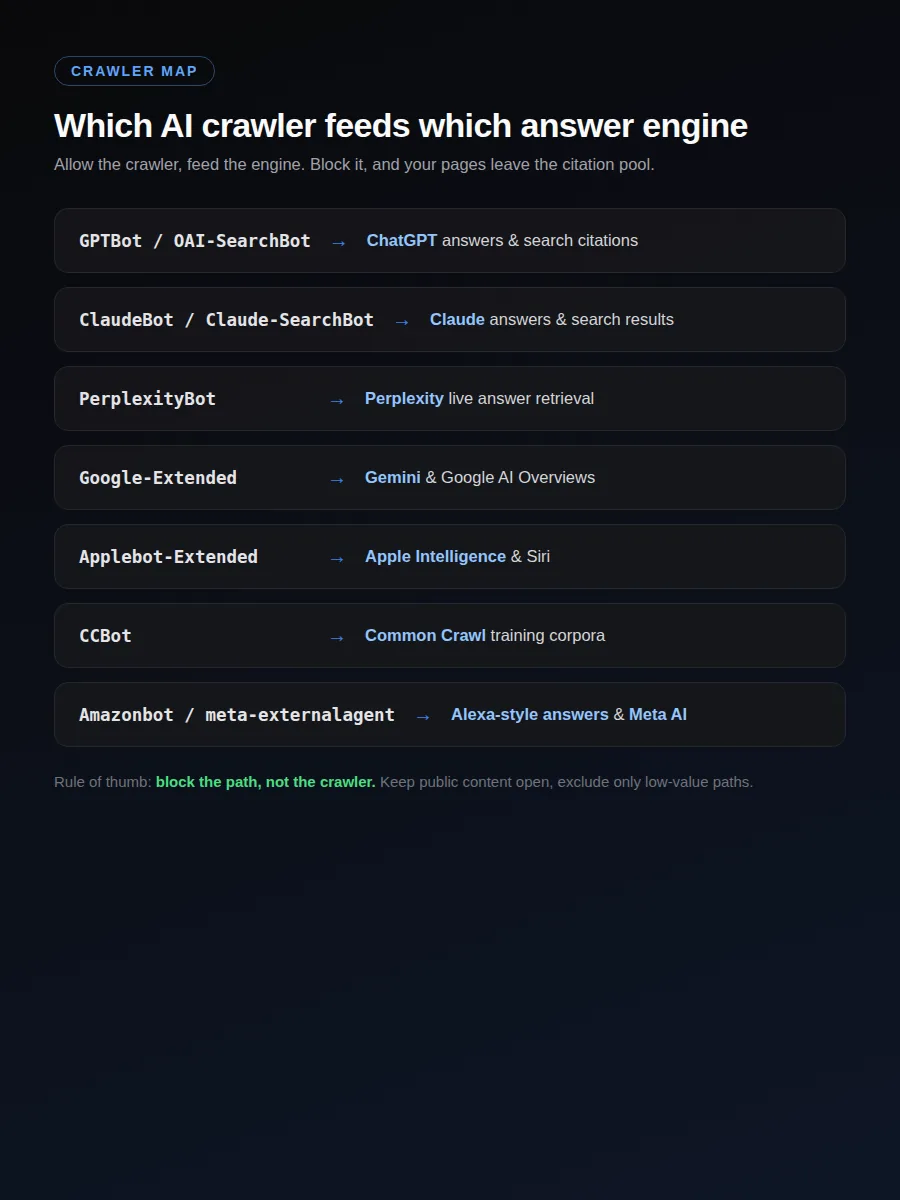
What each crawler feeds
| User agent | Feeds | Notes |
|---|---|---|
GPTBot |
ChatGPT and OpenAI products | Training/index crawler for answer visibility |
ChatGPT-User |
On-demand ChatGPT browsing | Triggered when a user asks ChatGPT to fetch a page |
OAI-SearchBot |
ChatGPT search results | Distinct from GPTBot; used for search citations |
ClaudeBot |
Claude and Anthropic products | Added by Anthropic, respects robots.txt |
Claude-SearchBot |
Claude search | Search fetcher, not the training crawler |
PerplexityBot |
Perplexity answers | Also used for live answer retrieval |
Google-Extended |
Gemini and AI Overviews | Google's AI-specific crawler |
Applebot-Extended |
Apple Intelligence and Siri | Apple's AI-specific crawler |
CCBot |
Common Crawl corpora used by many models | Not an answer engine, but training/index input |
Amazonbot |
Amazon search and Alexa-style answers | Respects robots.txt |
meta-externalagent |
Meta AI products | Meta's documented AI crawler |
* |
Everything else | Keep generic access open; block only low-value paths like /api/ |
When blocking makes sense
There are legitimate reasons to exclude specific paths. The pattern is to block the path, not the crawler:
User-agent: GPTBot
Disallow: /admin/
Disallow: /checkout/
Disallow: /search?
Blocking only what must stay private keeps citation value on public content. Fully blocking AI crawlers (a Disallow: / for GPTBot) removes your pages from the pool ChatGPT can cite and should be reserved for cases where bandwidth, content theft, or policy is a real concern.
How to verify AI crawlers actually visit
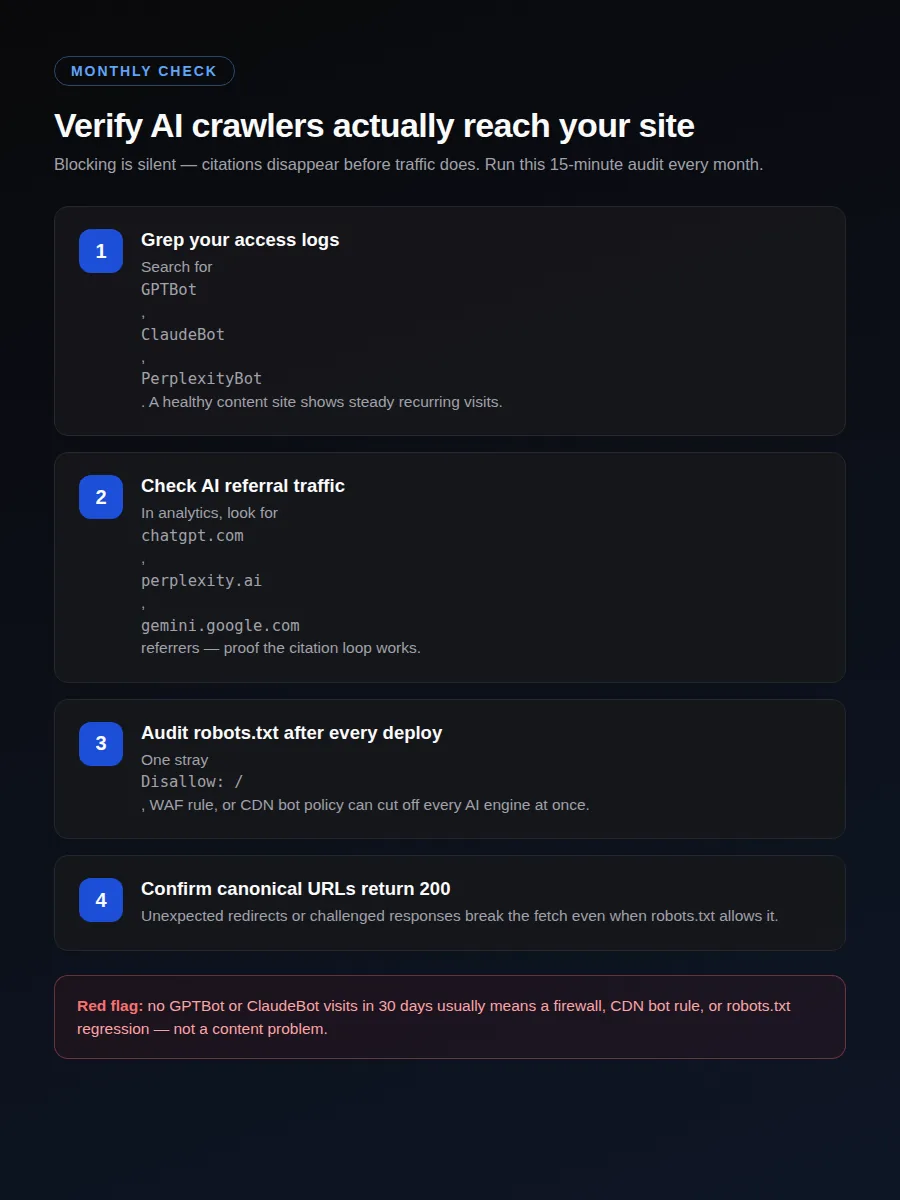
- Access logs. Search your host or edge logs for user agents containing
GPTBot,ClaudeBot, andPerplexityBot. A healthy content site should show steady, recurring visits. - Traffic analysis. In analytics, look at referral or source reports for AI platforms such as
chatgpt.com,perplexity.ai, andgemini.google.com. Users arriving from those platforms are a sign the citation loop works. - Monthly audit. Parse the live file with the AI crawler robots.txt checker, then confirm in logs that GPTBot and ClaudeBot visited in the last 30 days. If not, inspect robots.txt, edge firewall rules, and CDN security policies.
Common ways AI crawlers get blocked without you noticing
- Security tools and WAFs that rate-limit or challenge unknown user agents.
- CDN bot management configured to drop unrecognized bots.
- Caching layers that serve empty responses to crawler user agents.
- A generic
Disallow: /added for an unrelated bot that also catches AI crawlers. - Unexpected redirects on the canonical URL that break the fetch.
After any deploy or security change, run the crawler check above. Blocking is silent: citations disappear before traffic does.
robots.txt vs llms.txt
robots.txt is the access gate. llms.txt is an optional map of your best pages. Allow the crawlers first. Then, if you want extra citation hygiene, publish a short llms.txt that points to cornerstone guides such as GEO vs SEO and your highest-intent tools.
Do not treat llms.txt as a substitute for crawl access. If GPTBot is blocked, a curated Markdown index will not save citations.
The bigger picture
Opening robots.txt is the cheapest and highest-leverage GEO action available, and it connects to the rest of the strategy: GEO vs SEO: what changes explains where this fits next to classic ranking, brand mention tracking turns the resulting citations into a measurement loop, and the GEO visibility checklist audits the whole system in one pass.
Frequently asked questions
Which AI crawlers should I allow in robots.txt?
At minimum GPTBot, ChatGPT-User, OAI-SearchBot, ClaudeBot, Claude-SearchBot, PerplexityBot, Google-Extended, Applebot-Extended, CCBot, Amazonbot, and meta-externalagent. Training crawlers and search/user fetchers are separate user agents.
Does blocking AI crawlers hurt my SEO?
Blocking AI crawlers does not hurt classic Google ranking, but it removes your content from the pool AI answer engines can cite. If citations and AI visibility matter, keep AI crawlers allowed while using robots.txt only to exclude low-value paths.
How do I know if AI crawlers are actually visiting my site?
Check your host access logs for user agents such as GPTBot, ClaudeBot, and PerplexityBot, or use analytics filters on AI referral traffic. A GEO visibility audit should include a monthly check of which AI bots crawled and how often.