Schema Markup for AI Search: A Practical Small-Business Guide
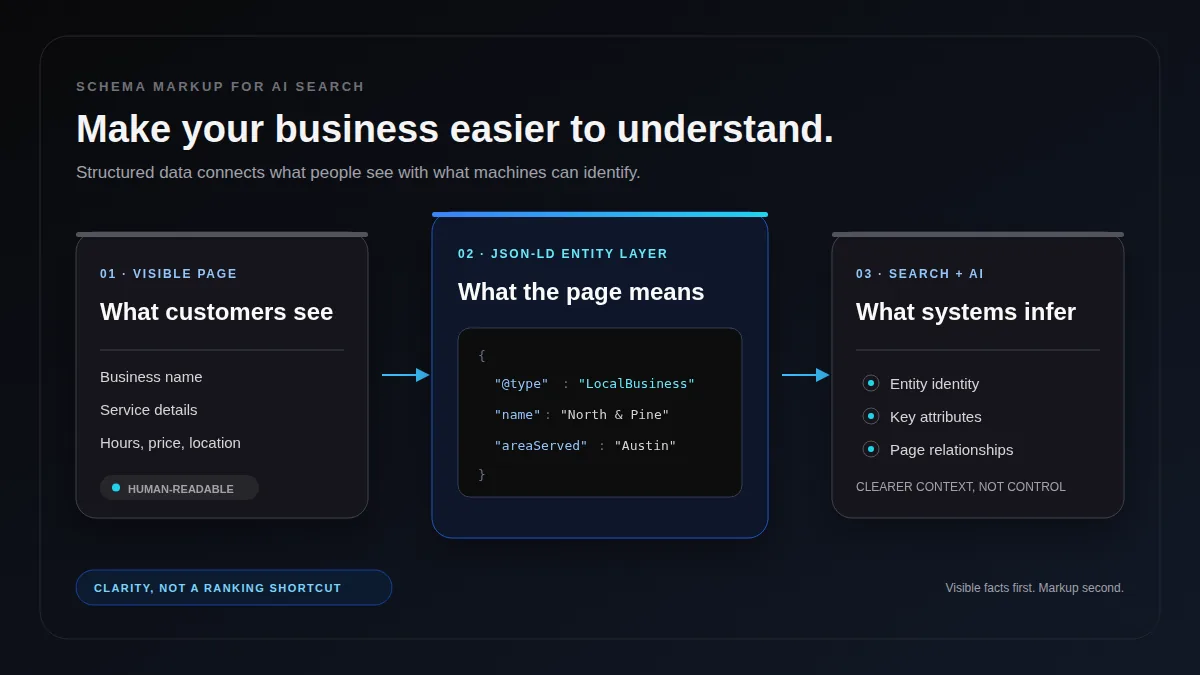
Schema markup gives search engines a labeled version of the facts already visible on your page. It can identify your organization, business location, article author, product price, availability, service area, and other details without forcing a machine to infer every relationship from prose.
That makes structured data useful for both traditional and AI-mediated search. It does not guarantee rankings, rich results, or citations. The practical goal is narrower: remove ambiguity, keep important facts machine-readable, and make every label match what customers can actually see.
What schema markup does for AI search
Google describes structured data as a standardized format that provides explicit clues about a page and classifies its content. Microsoft similarly recommends pairing current product data with schema markup so search and AI-powered discovery systems can understand what changed.
For a small business, those clues can answer questions such as:
- Is this name a company, a product, a person, or an article?
- Which phone number and address belong to the business?
- Is a price current, and is the product in stock?
- Who wrote or reviewed this guide?
- When was the page last updated?
- Which page is the canonical source for this service?
Schema is especially useful when a page contains many entities or when the same phrase can mean different things. A restaurant named “Juniper,” for example, should not make a crawler guess whether Juniper is the business, a menu item, an author, or a neighborhood.
The honest limitation matters: schema does not rescue weak content. Google explicitly says valid markup does not guarantee a rich result, and its structured data guidelines focus on eligibility rather than a direct ranking boost. AI systems may use many retrieval, authority, freshness, and relevance signals that your JSON-LD cannot control.
The schema types to prioritize
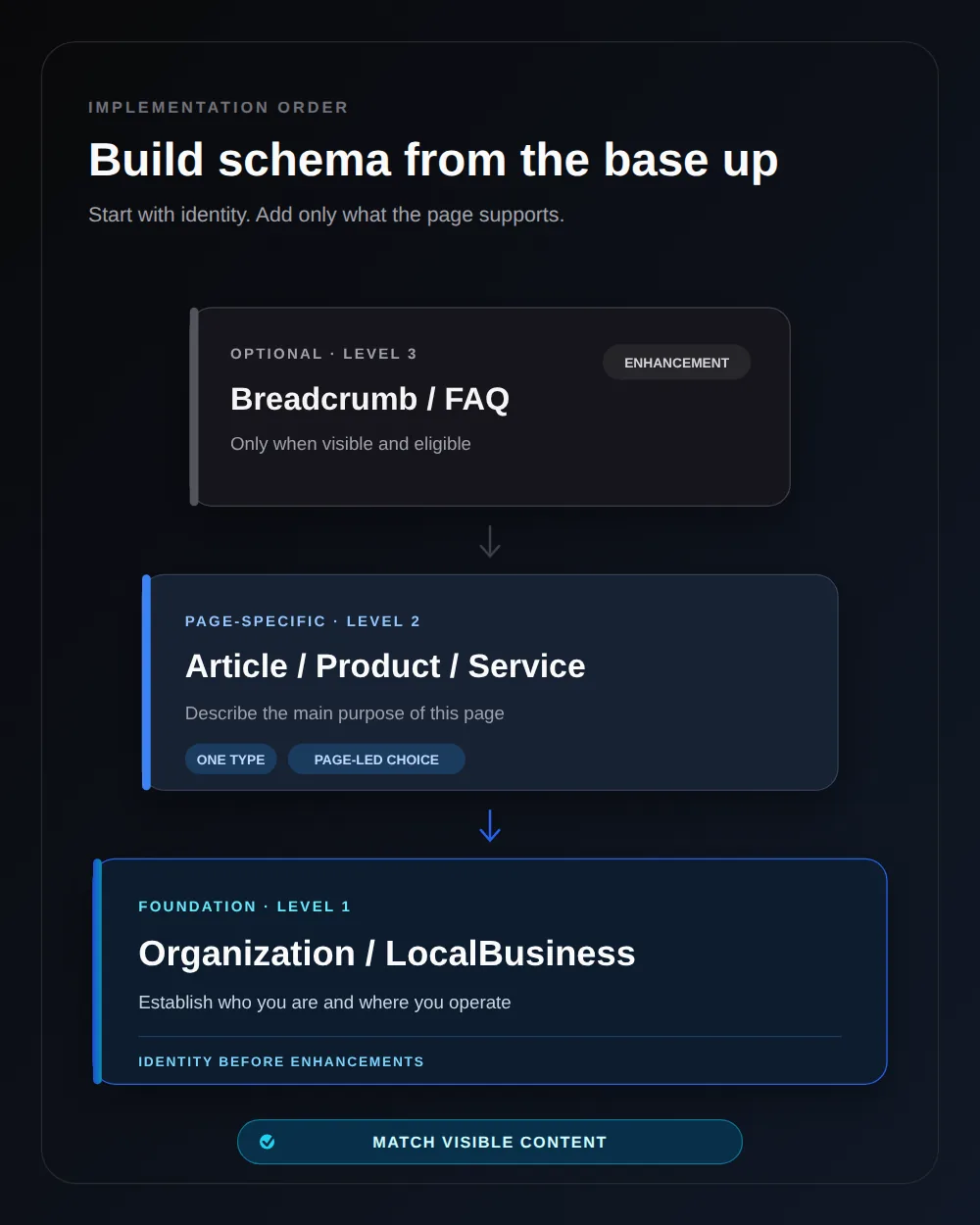
Do not install every schema type a plugin offers. Start with a stable identity layer, then add the one type that best describes each page.
| Page or business need | Useful schema type | Facts to include |
|---|---|---|
| Company identity | Organization | Name, canonical URL, logo, contact points, verified social profiles |
| Physical local business | Specific LocalBusiness subtype | Address, phone, opening hours, service area, price range |
| Editorial guide or news post | Article, BlogPosting, or NewsArticle | Headline, author, publisher, image, publish and modified dates |
| Product page | Product with Offer | Name, image, description, SKU or GTIN, price, currency, availability |
| Service page | Service | Service name, provider, area served, audience, offer details |
| Visible navigation trail | BreadcrumbList | Ordered page names and canonical URLs |
| Visible question-and-answer section | FAQPage when appropriate | The exact questions and answers shown to readers |
Use the most specific accurate type. A dental clinic should generally use Dentist, which is a subtype of LocalBusiness, instead of attaching a vague collection of unrelated labels. The main schema type should reflect the page's main purpose.
A practical JSON-LD example
Google supports JSON-LD, Microdata, and RDFa, and recommends JSON-LD in its technical guidelines. JSON-LD keeps the machine-readable object in a script block, which makes it easier to inspect without weaving properties through the visible markup.
A local service business could start with this simplified pattern:
<script type="application/ld+json">
{
  "@context":
    "https://schema.org",
  "@type":
    "ProfessionalService",
  "name":
    "North Harbor Accounting",
  "url":
    "https://example.com/",
  "telephone":
    "+1-555-010-2040",
  "image":
    "https://example.com/office.webp",
  "address": {
    "@type": "PostalAddress",
    "streetAddress": "24 Harbor St.",
    "addressLocality": "Port Mason",
    "addressRegion": "FL",
    "postalCode": "32000",
    "addressCountry": "US"
  },
  "areaServed":
    "Port Mason, Florida"
}
</script>
The example is intentionally modest. Add only properties you can keep accurate. If the site does not publish business hours, do not invent them for openingHoursSpecification. If customers cannot see a review on the page, do not put that review only in JSON-LD.
For real implementation, replace every example value and check the documentation for the specific type. Google Search supports a subset of the wider Schema.org vocabulary for special search features, so use Google's Search Gallery for Google eligibility and Schema.org for the broader vocabulary.
The visible-content rule
The highest-value schema rule is also the easiest to audit: the markup must represent the visible page.
Google's guidelines warn against marking up information that readers cannot see, irrelevant entities, fake reviews, or stale time-sensitive facts. This is not merely a syntax issue. A perfectly valid JSON object can still be misleading.
Check the pairs that frequently drift:
- Product price in JSON-LD versus the price beside the buy button.
InStockavailability versus an out-of-stock notice.- Business hours versus the schedule in the footer or contact page.
- Article
dateModifiedversus the page's visible updated date. - Author identity versus the real editorial byline.
- FAQ answers versus the visible FAQ section.
If your CMS, storefront, and schema plugin pull from different data sources, establish one system of record. The safest implementation generates visible values and JSON-LD from the same fields.
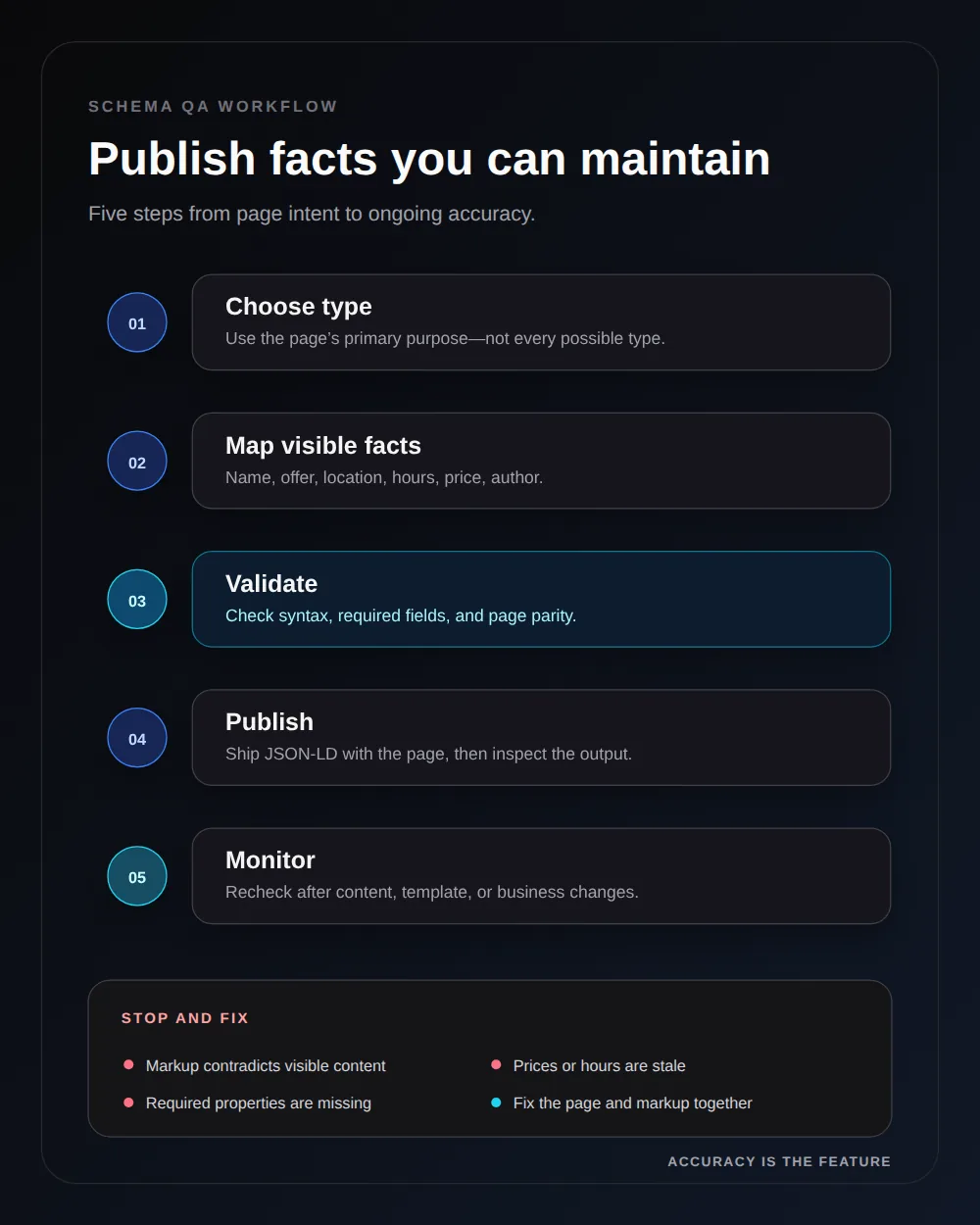
A five-step implementation workflow
Treat schema as maintained product data, not as a one-time SEO snippet.
- Choose the page's main type. Identify what the page primarily represents, then select the most specific accurate type.
- Map visible facts. List the fields already shown to users and connect only those fields to schema properties.
- Generate the JSON-LD. Use your CMS, ecommerce platform, framework, or a carefully reviewed plugin. Avoid stacking multiple plugins that emit duplicate entities.
- Validate before publishing. Run the JSON-LD checker for syntax and identity, the canonical URL checker for one preferred HTTPS URL, Google's Rich Results Test for supported features, and the Schema.org validator for vocabulary checks.
- Monitor after changes. Re-test templates when prices, hours, author data, or site structure change. Review Search Console enhancement reports where applicable.
Common schema mistakes that create more risk than value
Marking up aspirational facts
Do not label a business as award-winning, highly rated, open 24 hours, or available nationwide unless the same claim is current, visible, and supportable.
Treating FAQ schema as a traffic trick
FAQ markup should reproduce genuine visible questions and answers. It is not a place to hide keyword variations, testimonials, or sales claims. Search-result treatment can change at any time, so the visible FAQ must be useful even without an enhanced result.
Publishing duplicate or conflicting entities
A theme, SEO plugin, review app, and custom code can all emit schema on the same page. Inspect the rendered source. If one block says the product costs $49 and another says $59, machines receive more ambiguity, not less.
Using schema instead of page copy
A service area, return policy, author credential, or product specification still belongs in the visible content when it helps a customer decide. JSON-LD supplements that content; it does not replace it.
Forgetting freshness
Prices, availability, event dates, job openings, and business hours expire. Microsoft specifically connects structured product data with timely indexing because stale commerce details damage discovery and customer trust.
What to measure after launch
Separate technical success from business results.
| Layer | Metric | What it tells you |
|---|---|---|
| Technical | Valid items, errors, and warnings | Whether crawlers can parse the markup |
| Consistency | Visible-to-schema mismatch rate | Whether the data is trustworthy and current |
| Search | Rich-result impressions and CTR where reported | Whether eligible search appearances affect discovery |
| AI visibility | Brand mentions and citations for a fixed prompt set | Whether your broader citation presence changes over time |
| Business | Qualified visits, leads, and revenue | Whether the implementation contributes to useful outcomes |
Do not credit schema for every visibility change. Content updates, links, crawl access, model updates, and seasonality can move at the same time. Keep a dated implementation log and compare stable page groups over several weeks.
The practical priority order
For most small businesses, the sequence is straightforward:
- Make the page crawlable and indexable.
- Publish clear, useful, up-to-date visible content.
- Establish Organization or LocalBusiness identity.
- Add one accurate page-specific schema type.
- Validate, monitor, and fix data drift.
- Track search performance and AI citations without assuming causation.
Schema belongs inside a wider visibility system. Review crawler access with the robots.txt guide for AI crawlers, make important passages citation-ready with the GEO vs SEO workflow, and run the GEO visibility checklist before investing in optional markup.
Sources and further reading
Frequently asked questions
Does schema markup make a page appear in AI answers?
No. Structured data gives search systems explicit clues about a page, but neither Google nor other major providers guarantee an AI citation or rich result. Treat schema as a clarity and eligibility layer, not a ranking shortcut.
Which schema type should a small business add first?
Start with Organization or the most specific LocalBusiness subtype on your core business pages. Then add a page-specific type such as Article, Product, or Service only where it accurately matches visible content.
Is JSON-LD better than Microdata for schema markup?
Google supports JSON-LD, Microdata, and RDFa, but recommends JSON-LD for most implementations. JSON-LD is usually easier to generate, audit, and update without mixing metadata into visible HTML.
Should FAQ schema include questions that are not visible on the page?
No. Structured data should describe content readers can see on the same page. Hidden, misleading, or stale FAQ answers can make the markup ineligible and may violate Google's structured data guidelines.